Choosing a website maintenance plan vs pay as you go support comes down to one question. Who looks after your site between jobs? With pay as you go you book a developer by the hour when something needs doing, so you’re only billed for the work you ask for, but nobody is watching the site in between. With a maintenance plan you agree a fixed monthly fee, and the regular updates, monitoring and fixes happen without you having to ask.
For a team without a developer, I’d pick a plan if your site takes enquiries, bookings or orders, or if your business works to dates you can’t move. Hourly help is fine for a site that rarely changes and can wait a few days for a fix, as long as someone books in the updates every month. Below I’ve set out what each option costs, how quickly problems get fixed and what to check before you sign.
The key difference between a website maintenance plan vs pay as you go
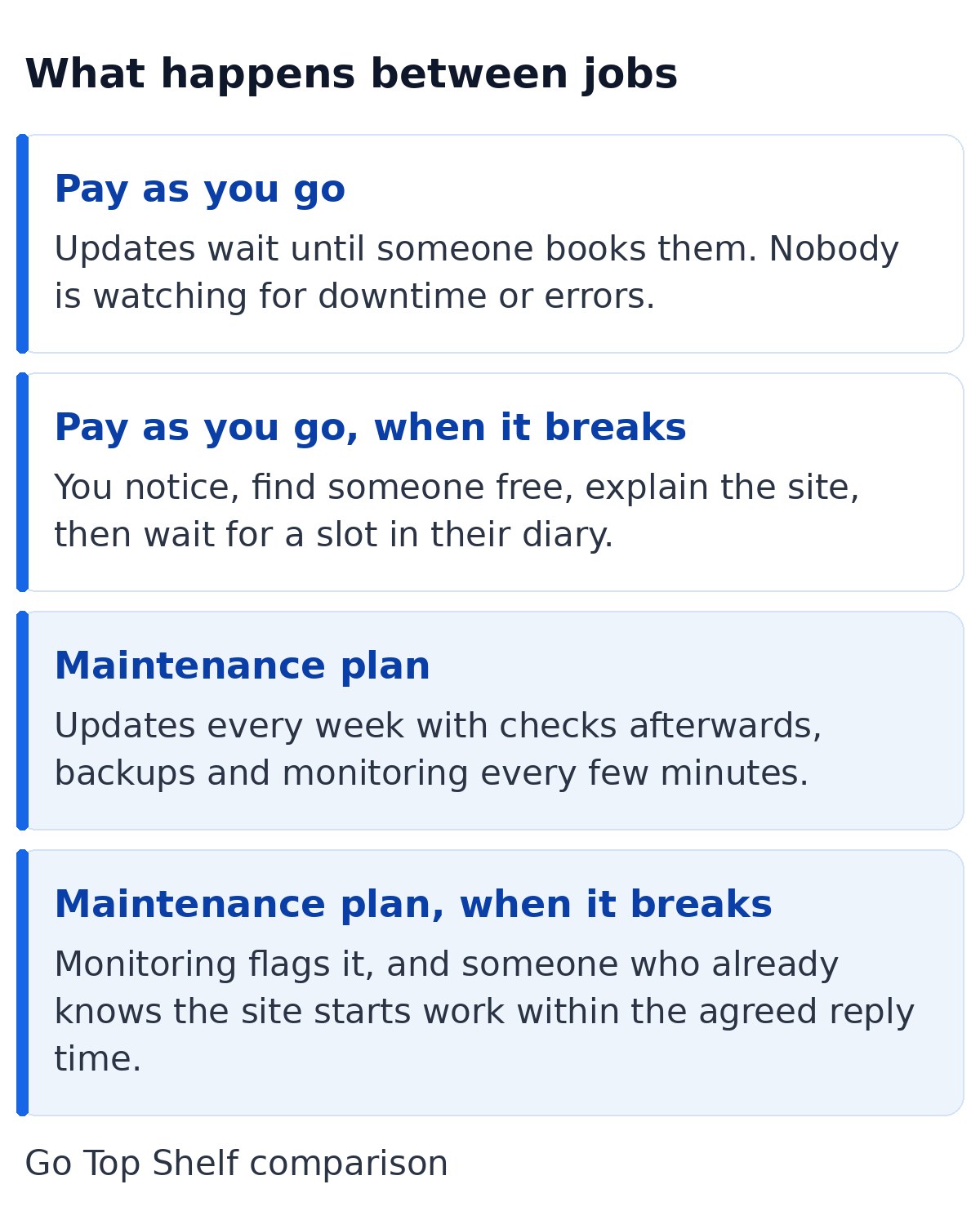
The key difference is who is responsible. On a maintenance plan, keeping the site secure and working is the provider’s job every week, so it’s proactive maintenance. On an hourly basis it stays your job, and you hire help for each task once something has gone wrong.
| Maintenance plan | Hourly help | |
|---|---|---|
| What it costs | A fixed monthly fee, agreed up front | An hourly rate for each job, billed after the work |
| Routine updates | Done every week without you asking | Done only when you book them |
| Finding problems | A monitoring tool spots downtime, slow pages and errors, often before you do | You find out when a customer tells you or enquiries stop |
| Starting a fix | Within the agreed reply time | When the developer has space in their diary |
| Changes and new pages | Included up to the plan’s hours, or quoted first | Quoted and billed per job |
| Best for | Business websites that bring in enquiries, bookings or sales | Simple sites that rarely change and can wait for a fix |
What is a website retainer?
A website retainer is an arrangement where a set monthly fee keeps a provider’s time and attention reserved for your site. A maintenance plan is one kind of retainer. It covers the maintenance tasks that keep the site running, and the better ones also include time for changes.
You’ll also come across a web design retainer, which buys a set number of design hours each month for campaign pages, banners, layout changes and new features. It suits marketing teams who need a steady flow of new pages. A support retainer sits between the two, covering the ongoing fixes and changes your team asks for on top of the basic maintenance. Some providers call the service care plans, maintenance packages or WordPress maintenance plans, but the idea is the same.
The word retainer puts some people off because it sounds like a long contract. It doesn’t have to be. Ours run month to month and you can cancel any time, with no exit fee.
Pros and cons of hourly WordPress support
Hourly WordPress support has no monthly fee and no commitment, but nobody keeps an eye on the site between jobs. You contact a developer when something needs doing, agree the job and you’re billed for the hours it takes, which looks appealing while the site works fine.
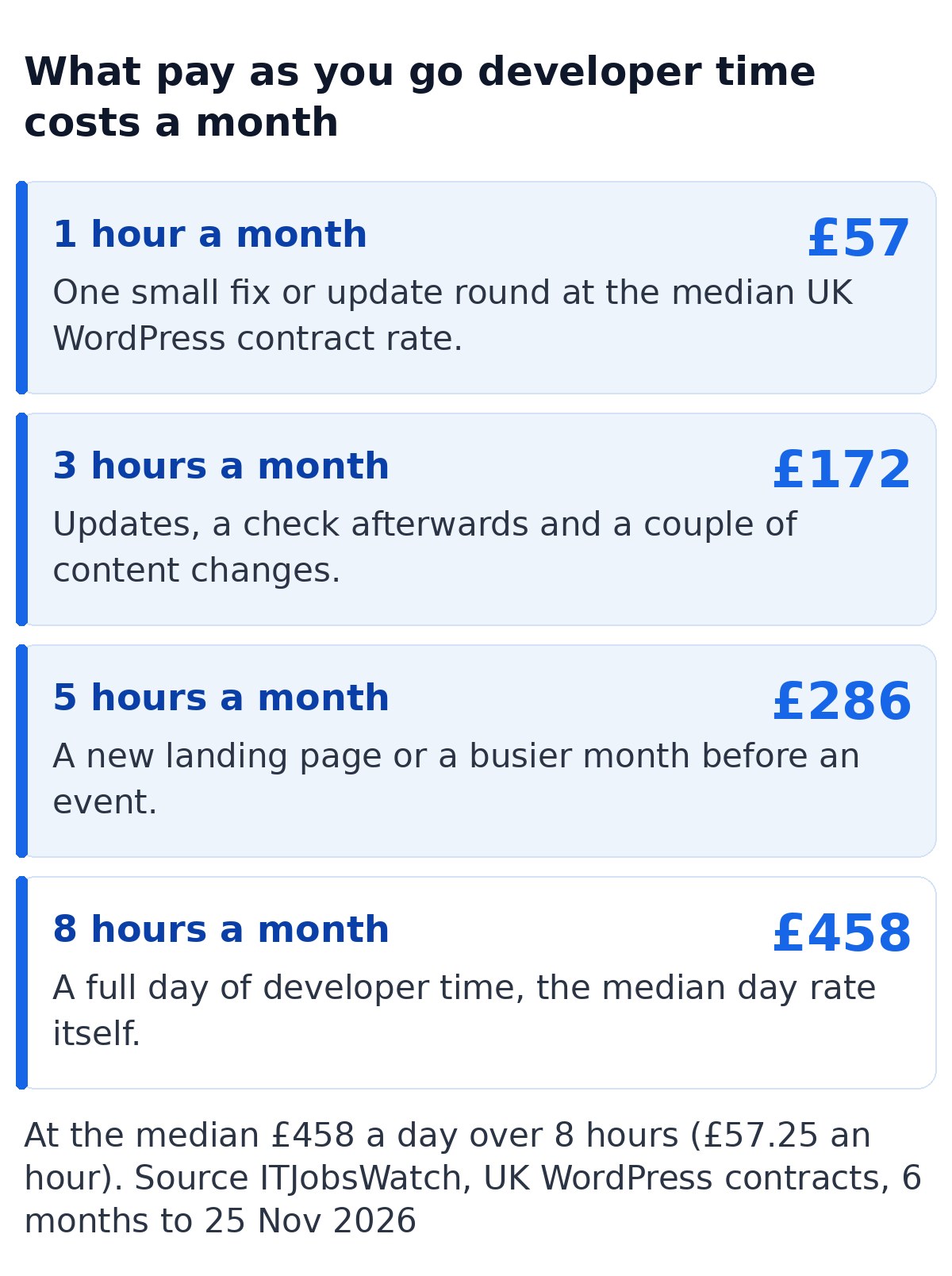
As a guide to what those hours cost, ITJobsWatch shows a median day rate of £458 for UK contract jobs citing WordPress in the six months to 25 November 2026, with the middle half of rates between £363 and £525 a day. Over an 8-hour day that’s roughly £45 to £66 an hour, with the median just over £57.
The hourly rate isn’t the whole cost, though. Three things tend to add to it.
- Getting back up to speed. A developer who hasn’t seen your site for months has to check how it’s built before touching it, and that time is part of the bill.
- Updates that pile up. Leave maintenance until you need a job and months of WordPress, theme and plugin updates land at once. That’s more likely to break something and takes longer to test.
- Waiting. Freelancers and agencies fit one-off jobs around regular clients, so yours joins a queue.
None of that makes hourly help wrong. For a simple site with few changes it’s a sensible way to buy help, as long as somebody owns the job of booking in regular maintenance.
Website support retainer vs pay as you go when security is at risk
When something breaks or gets hacked, a support retainer gets it fixed sooner, because the provider has already agreed a reply time and already knows your site. With one-off fixes, the clock only starts once you notice the problem and find someone free to look at it.
Speed matters more than it used to on WordPress. Patchstack’s State of WordPress Security report found that 46% of the vulnerabilities disclosed in 2025 had no fix from the plugin or theme developer by the time they were made public, and roughly half of high-impact vulnerabilities were exploited within 24 hours. For the most heavily targeted ones, the weighted median time to first attack was 5 hours. Only 6 were found in WordPress core, so the risk sits in the plugins and themes your site relies on, and regular maintenance reduces it.
That’s why security updates, monitoring and tested backups are the essential parts I wouldn’t leave to whenever someone has a free slot. Hourly help can work for changes, but a hacked page or lost customer data can’t wait a week, which is why proper maintenance matters. If the worst does happen, our guide on what to do if your WordPress site is hacked walks through the first steps.
For events teams the stakes are higher still, because the busiest day of the year is fixed in advance. On Glastonbury 2027 ticket day, Glampville saw over 13 times its usual visits from Google, on a site we keep ready. You can read how in the Green Yurts case study.
Performance, SEO and regular updates
Keeping on top of maintenance helps keep a site quick, which matters for visitors and for search engines. Plugins, images and content pile up over time, and a site that nobody checks tends to get slow.
Google’s Search Central guidance says it highly recommends site owners achieve good Core Web Vitals for success with Search, and that this aligns with what its core ranking systems seek to reward. With hourly help, speed and SEO checks only happen if you book them. On a monthly maintenance plan, keeping pages quick is part of the routine work.
What a website retainer agreement should cover
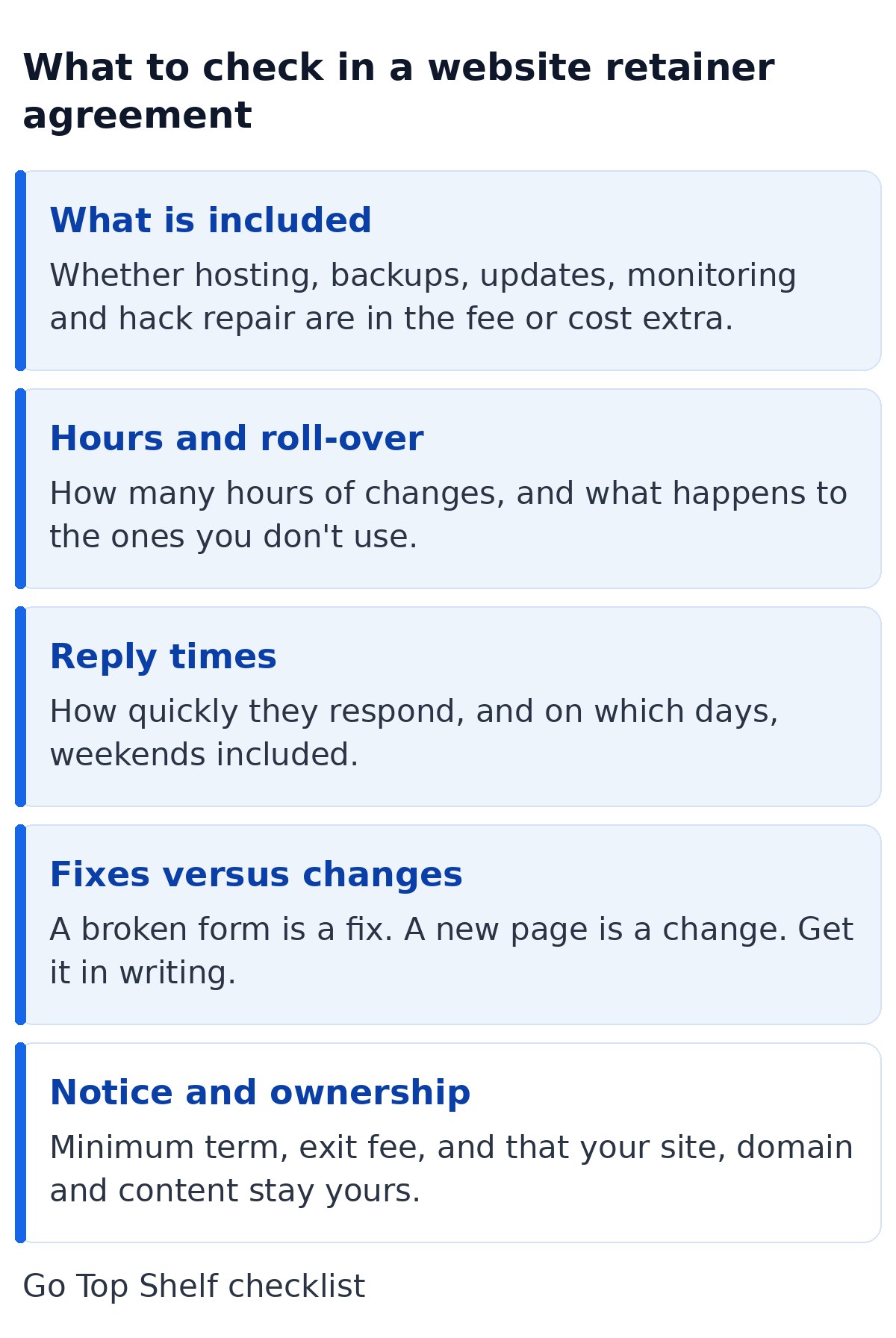
A good retainer agreement says exactly what you get each month, how quickly you’ll hear back and how you can leave. Use it as a maintenance checklist, and if any of these points are vague, ask before you sign.
- What’s included. Hosting, backups, updates, security monitoring and hack repair, or which of those cost extra.
- Hours for changes. How many you get, and what happens to unused hours at the end of the month.
- Reply times. How quickly they respond, and on which days, weekends included.
- Fixes versus changes. A broken form is a fix. A new page is a change. The agreement should say which is which.
- Backups. How often they run, where the data is kept and whether anyone tests a restore.
- Reporting. A short summary of the work done each month, so you can see the benefit of what you’re paying for.
- Notice and exit. The minimum term, the notice period and any exit fee.
- Ownership. Your site, domain and content stay yours, with everything handed over if you leave.
Our own plans run monthly with no exit fee, with hosting and hack repair included as standard for most sites. On Support, unused hours roll over for up to 3 months, which suits teams whose workload peaks around events and campaigns.
Hosting, backups and monitoring in our monthly WordPress maintenance services
Our website maintenance plans cost £150, £350 or £750 a month plus VAT. Each maintenance plan includes hosting and server maintenance for most sites, daily backups, weekly updates, hack repair, uptime checks every 5 minutes and small fixes.
- Care, £150 a month. Best for a finished site you edit yourself, with replies the same working day, Monday to Friday.
- Support, £350 a month. Best for marketing teams who need a steady flow of changes, with about 3 hours a month and same-day replies 7 days a week.
- Team, £750 a month. Best for busy marketing and events teams who need changes and integrations as they come up, within fair use, with a named contact.
Anything outside a plan, like a redesign or a new piece of software, is quoted per job and agreed before we start. For the day-to-day requests in between, see how our website support service works.
DIY vs managed WordPress maintenance
DIY maintenance is the third option, and it can work for a small business with someone technical on the team who runs the updates every week and knows what to do when one breaks the layout.
Managed WordPress maintenance hands that job to a provider, so it gets done whether or not anyone in-house has the time. Hourly help sits in the middle, because your team still has to decide when work is needed.
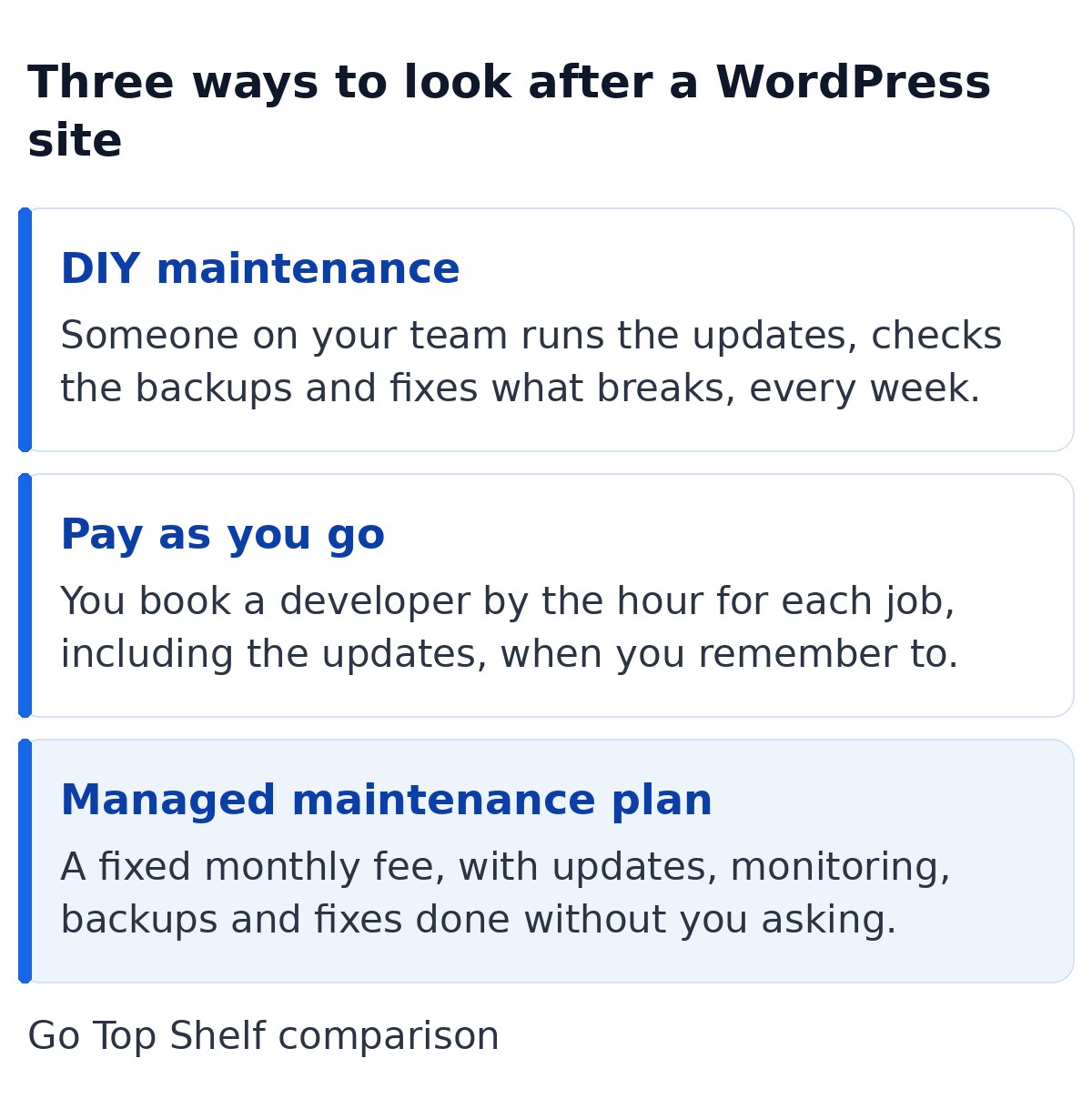
Which is the right solution for your business
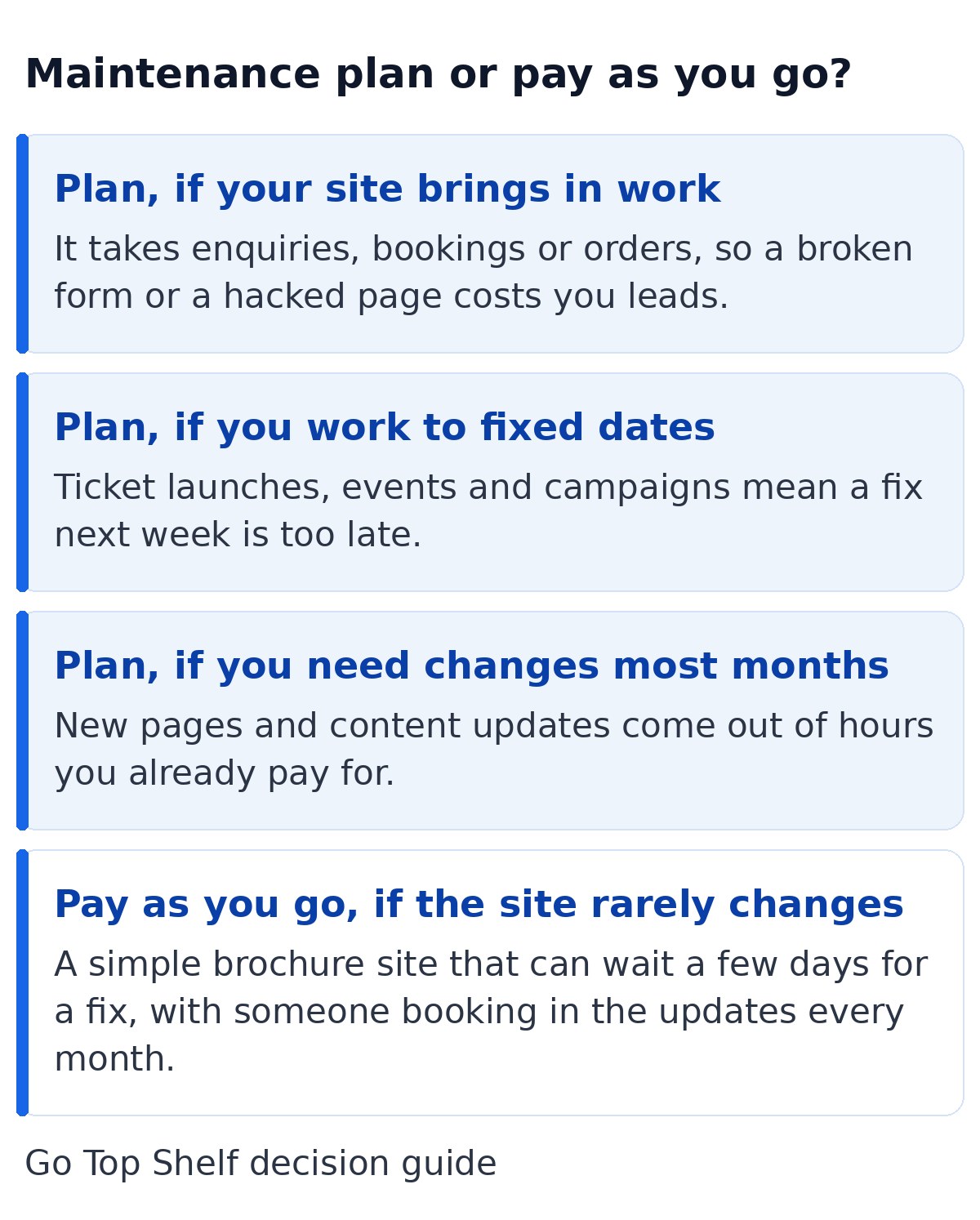
Choose a maintenance plan if the site is part of how your business wins work and nobody in-house looks after it. Choose hourly help if the site is simple, rarely changes and a few days’ wait for a fix won’t cost you anything.
- If your site takes enquiries, bookings or orders, choose a service that includes hosting, monitoring and hack repair.
- If you run events or campaigns to fixed dates, choose a plan with fast reply times, including weekends if that’s when your sales open.
- If your team needs new pages or content changes most months, choose a plan with hours included, so each small job isn’t a separate invoice.
- If your site is a brochure that changes once or twice a year, an hourly developer can work, as long as someone books in the updates every month.
- If you’re not sure what state your site is in, get it checked by a professional first, because the answer changes if updates are already months behind.
Plenty of teams mix the two, keeping a plan for the routine work and a quote per job for bigger projects. If you’re still deciding whether a maintenance plan is worth it at all, I’ve covered that in is a website maintenance plan worth it. If you’re weighing up a hire instead, our comparison of an in-house web developer vs an agency covers that decision.
How we compared
We compared a maintenance plan with hourly help on cost, who does the routine work, how quickly a fix starts and which teams each suits, using public sources checked on 25 November 2026. Contractor rates came from ITJobsWatch, attack and patch figures from Patchstack’s 2026 report, speed guidance from Google Search Central, and our own terms from our published plan pages. It’s a desk comparison of how each way of buying help works, not a test of any one provider.
Frequently asked questions
Is pay as you go website support cheaper than a maintenance plan?
It can be in a quiet year. If your site needs one or two small jobs and someone in-house keeps on top of updates, paying by the hour costs less. Once you add weekly updates, monitoring, backups and the odd urgent fix, the hours add up at £45 to £66 each, and a fixed monthly fee is easier to budget.
How much does it cost to keep a website running?
The cash cost of keeping a basic site running is hosting, the domain and any paid plugins. The bigger cost is the time to update it every week, check the backups and fix what breaks. Our guide to how much website maintenance costs in the UK breaks those costs down.
Can I switch from hourly help to a maintenance plan?
Yes, at any point. The first step is usually a check of the site’s current state by our team, because months of missed updates may need catching up before regular maintenance starts. We move sites onto our hosting for free, and our plans run month to month, so you can cancel any time.
Do unused website retainer hours roll over?
It depends on the agreement, so check before you sign. Some retainers lose unused hours at the end of each month and others carry them forward. On our Support plan, unused hours roll over for up to 3 months, so a quiet month builds up time for the busy weeks before an event or launch.
If you’re not sure which way to go, start with a free website audit. We check your site’s speed, security, forms and search visibility, and tell you in plain English what needs attention first.