The best website builder for charities depends on who will look after the site once it’s live. For a small team that wants a professional site with a donate button and no technical work, Squarespace or Wix is the simplest choice. For an organisation that wants full control, more features and room to grow, WordPress with a donation plugin is the strongest option. If you want fundraising, events and forms in one nonprofit platform with a team that builds it for you, Morweb is worth a look.
None of these is wrong. The right charity website builder is the one your team will actually keep up to date, that takes online donations without fuss and that doesn’t eat into the money you raise. This guide compares the main options on those points, with prices checked on 23 November 2026, so you can pick the right fit for your organisation.
Which Is the Best Website Builder for Charities?
The right builder for a charity is the one that matches your team’s time and skills. Here is the short version, then each option in more detail below.
| Builder | Best for | How it takes gifts |
|---|---|---|
| Squarespace | Small teams that want a polished site with very little setup | Built-in Donation block with Squarespace Payments, Stripe or PayPal |
| Wix | Teams that want drag-and-drop freedom and lots of templates | Wix Donations app on a plan that accepts payments |
| WordPress | Organisations that want full control, more functionality and room to grow | Free GiveWP plugin, or payment buttons on WordPress.com |
| Morweb | Organisations that want a nonprofit platform built and set up for them | Fundraising module with Stripe |
Whichever you pick, you can also add a JustGiving donate button to any of them. That’s often the easiest way to handle Gift Aid, which I cover further down.
What a Charity Website Needs Before You Pick a Template
A charity website needs to take gifts easily on a phone, claim Gift Aid, handle event and volunteer sign-ups, and be simple enough for a small team to update. Check every builder’s features against that list before you look at a single template.
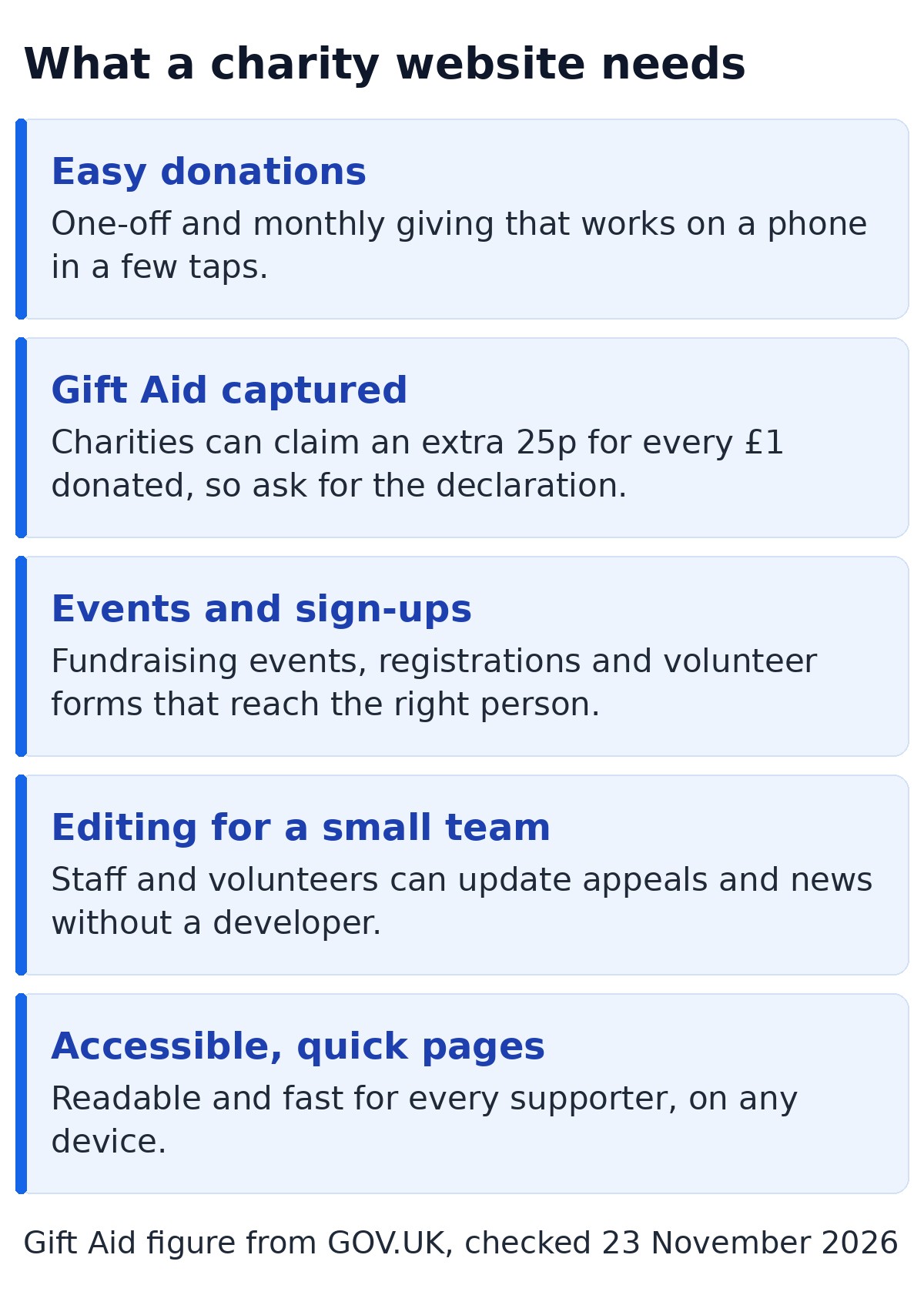
- Easy donations. One-off and monthly gifts that work on a phone, without sending people off to a confusing page.
- Gift Aid. Gift Aid lets charities claim an extra 25p for every £1 donated, so your giving form should capture the declaration.
- Events and sign-ups. Fundraising events, registrations and volunteer forms that reach the right person.
- Editing for a small team. Several people should be able to change news, appeals and pages without a developer or any coding.
- Accessible, quick pages. Your supporters include older people and people using assistive tech, so readable, fast pages matter on every device.
Design matters too, and every one of these builders has decent templates you can match to your logo and colours. The things above are what separate them.
Squarespace for Charities
Squarespace for charities is the easiest route to a site that looks professional on day one. Its templates look polished out of the box, and every plan includes a Donation block that collects gifts through Squarespace Payments, Stripe or PayPal.
Best for small teams with one or two people editing the site who want something tidy and low maintenance from a ready-made template.
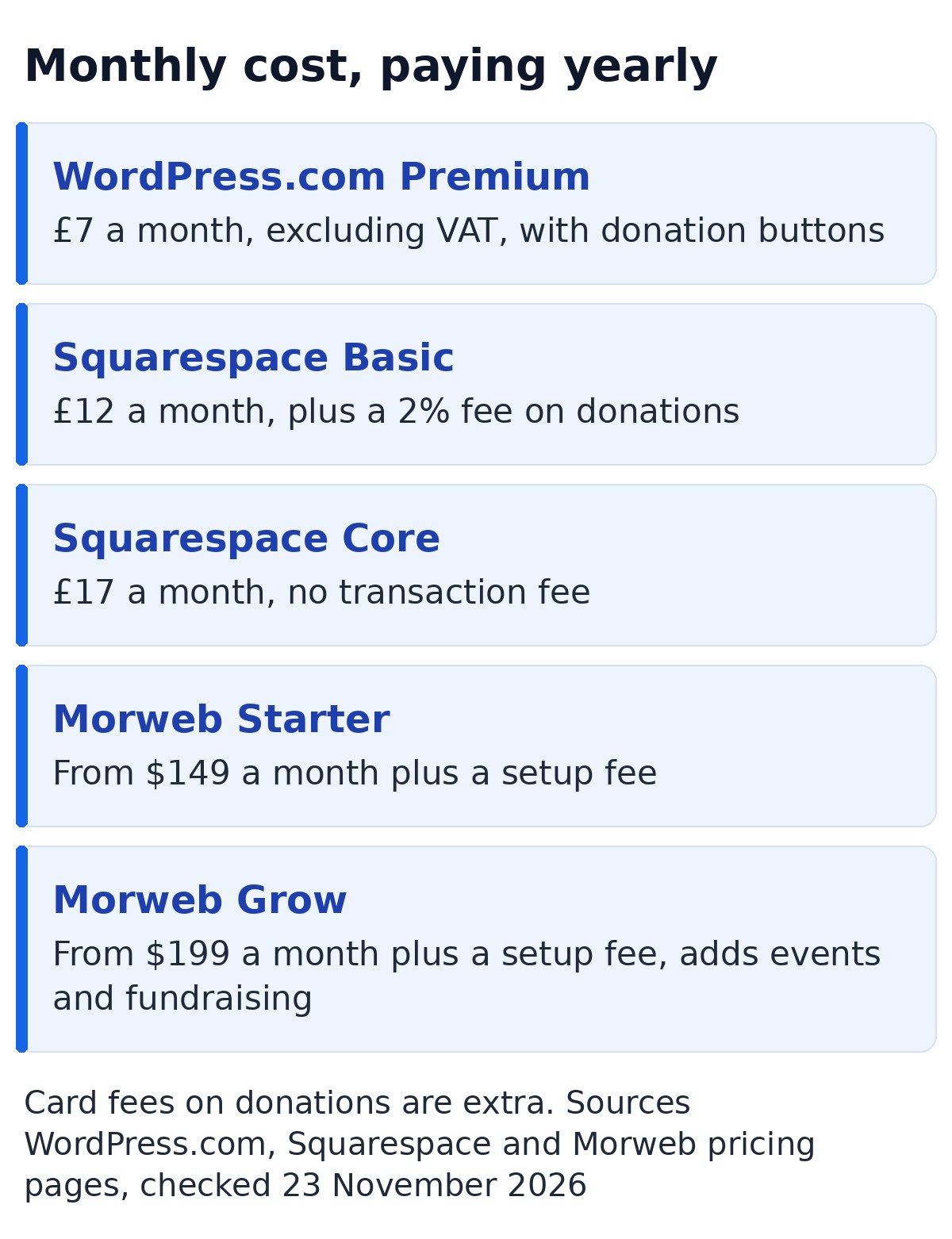
On Squarespace’s UK pricing page the Basic plan is £12 a month paid annually and Core is £17 a month paid annually (£16 and £24 if you pay Squarespace monthly). The detail worth knowing is the fees. Basic adds a 2% transaction fee on top of the card rate of 2.0% + 25p, while Core and above charge no transaction fee. Basic also allows only 2 contributors, so if several staff or volunteers edit the site you’ll want Core anyway.
The downside is flexibility. Squarespace is a closed platform with less room for customisation than WordPress, so if you later want a members area, a complex event booking setup or an integration with your CRM, you’re limited to the tools Squarespace and its extensions offer.
Wix for Charities
Wix for charities gives you the most design freedom of the simple builders, with a drag-and-drop editor and thousands of templates to start from, including donation website templates. Gifts run through the Wix Donations app, which lets you set up separate campaigns for different appeals.
Best for organisations with a confident volunteer or staff member who enjoys designing pages and wants lots of custom layout options.
Wix’s own help guide says you need a plan that supports payments to accept gifts. The Wix Donations app itself adds no extra fee, but your payment provider’s fees still apply, and there’s an option to let supporters cover the fees at checkout. On the Wix plans page the Light plan doesn’t include payments, so Core is the first plan that does. Wix sets prices by location, so check the price in pounds at checkout.
The freedom cuts both ways. Pages built freely in drag and drop can drift out of line on phones if nobody checks them, so keep an eye on the mobile view each time someone edits a page.
WordPress for Charities
WordPress for charities is the most flexible option, and it’s what we build on, so take my view with that in mind. The software itself is free and open source under the GPL, which means you own the site and can move it to any host.
Best for organisations that want full control, plan to add functionality like memberships, events or CRM links, and have someone to look after the site.
There are two ways to run it. WordPress.com is the hosted version, where the Premium plan is £7 a month billed yearly (£17 paying monthly, excluding VAT) and adds payment buttons that collect gifts through PayPal and Stripe, according to WordPress.com’s pricing page. Self-hosted WordPress runs on your own hosting with any theme, template or tool you like, so the features and customisation are up to you. The GiveWP donation plugin is free, works with Stripe and PayPal, and keeps donors on your own site with custom donation forms, campaign pages and donor reports.
The catch is upkeep. A self-hosted WordPress site needs WordPress, its theme and add-ons kept current every week, plus backups and security checks. If nobody on your team has time for that, a website maintenance plan covers it, and our WordPress development team can build custom functionality an off-the-shelf tool can’t.
Morweb, a Non-Profit Website Builder With Support
Morweb is a nonprofit website builder rather than a general one. Donations, events, forms and a resource library are all features of the platform, and the Morweb team sets the site up, designs it rather than handing you a template, and trains your staff.
Best for organisations that want fundraising and events in one platform, set up for them, with live support afterwards.
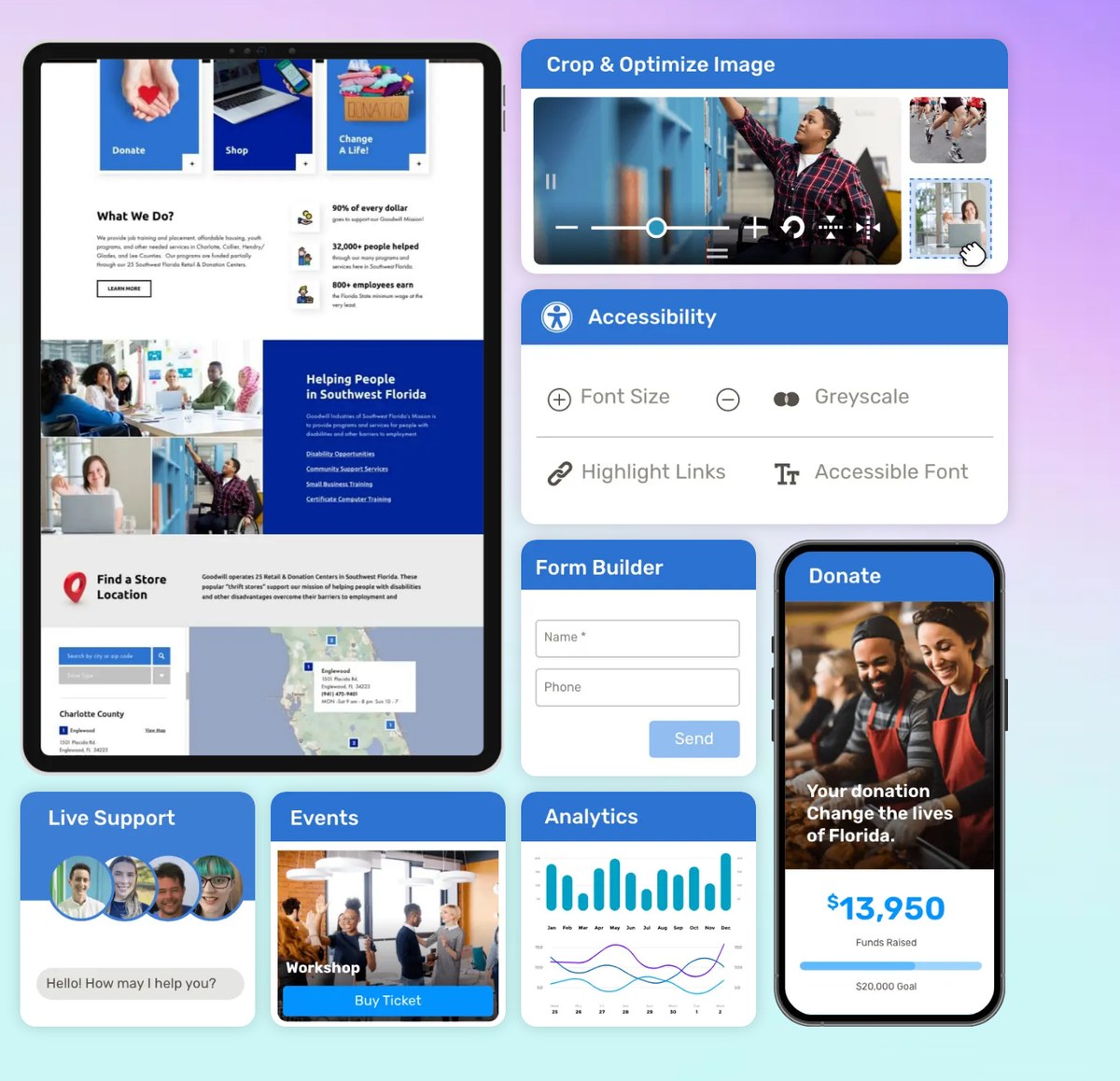
Morweb says it’s built for mission-driven organisations in North America, the United Kingdom and Australia, and the organisations in its showcase are mostly American, such as United Way and Goodwill. Its modules use Stripe for gifts and event registration, and it includes hosting, daily backups and live-chat support. If you want a charity website where the fundraising tools come built in, Morweb’s nonprofit website platform is worth a demo.
Pricing is a one-off setup fee plus a monthly fee, both in US dollars. On Morweb’s pricing page the Starter plan starts at $149 a month and Grow, which adds the events, form builder and fundraising modules, starts at $199 a month. The setup fee depends on the size of the site, so you’ll need a demo to get a figure. Two things to know before you book one. Morweb doesn’t host email, and pricing in dollars means the cost in pounds moves with the exchange rate. On the plus side there are no cancellation fees and you can export your content at any time.
Charity Website Builder Pricing Compared
A charity website builder costs from about £7 to £17 a month on WordPress.com or Squarespace, paid yearly, before card fees on each gift. A specialist platform like Morweb starts at $149 a month plus a setup fee.
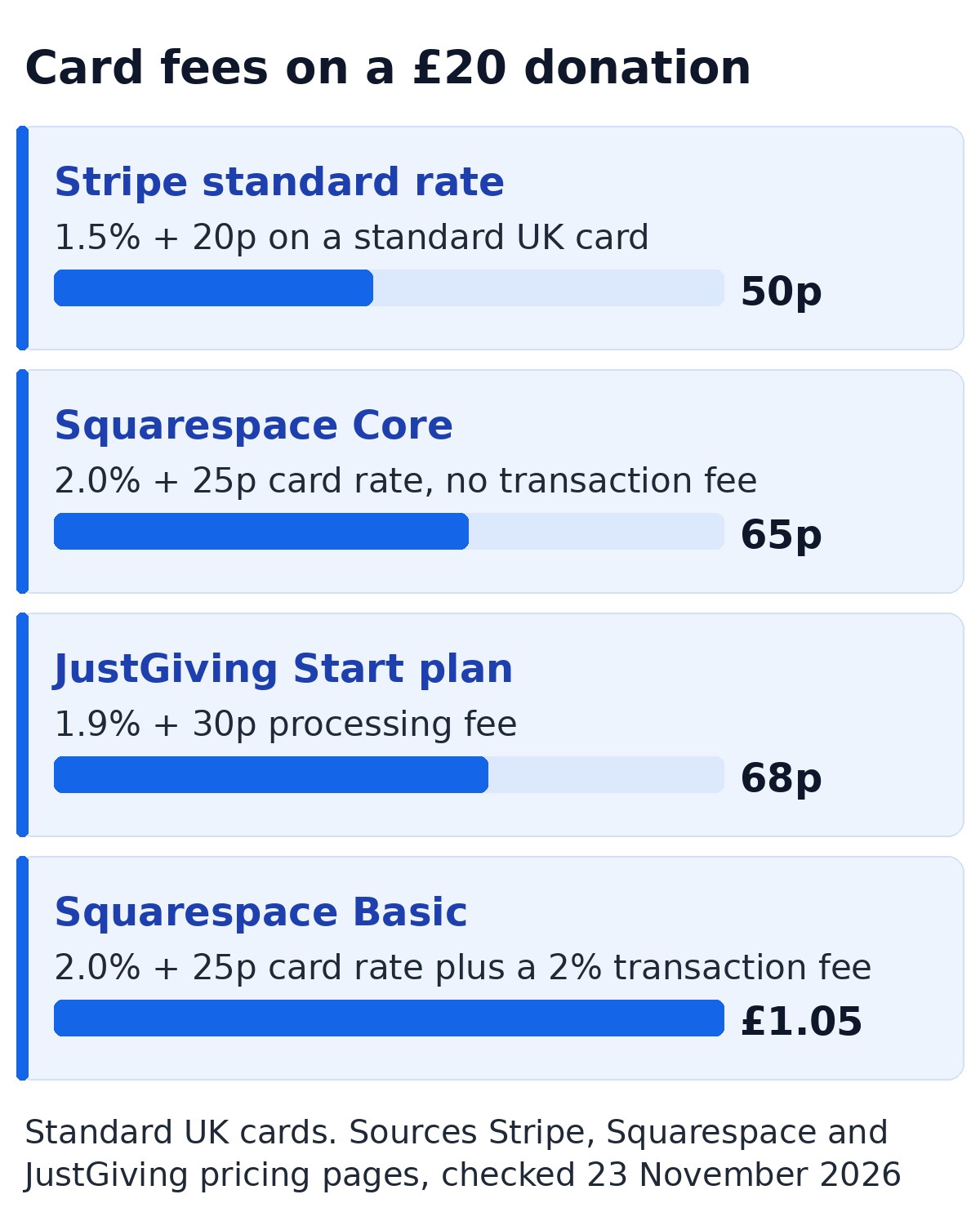
The monthly plan is only part of it. On a £20 donation from a standard UK card, Stripe’s standard rate of 1.5% + 20p takes 50p, Squarespace Core takes 65p and Squarespace Basic takes £1.05 once its 2% transaction fee is added. Over a year of regular gifts, that difference adds up to more than the gap between plans. If you’re also weighing up a custom build, our guide to how much a website costs in the UK breaks down the costs of each route.
Online Giving and Gift Aid on Any Builder
The simplest way to take online donations and claim Gift Aid on any builder is to add a JustGiving donate button. It works the same on Squarespace, Wix, WordPress or Morweb.
On JustGiving’s pricing page the Start plan has no monthly fee. You pay 1.9% + 30p processing (68p on a £20 gift) and 5% of any Gift Aid it claims for you, and it gives you the links and code for a donate button on your site. JustGiving’s Grow plan, at £15 a month plus VAT if you raise up to £15,000 a year, adds supporter data, reports and CRM links.
The trade-off is that supporters leave your site to give. If keeping them on your own pages matters to you, a built-in option like GiveWP or the Squarespace Donation block does that, but you’ll need to sort Gift Aid declarations yourself.
Choosing the Right Builder and Web Design for Your Charity
Choose the builder that fits the people who will run it, not the one with the nicest template. These rules cover most organisations.
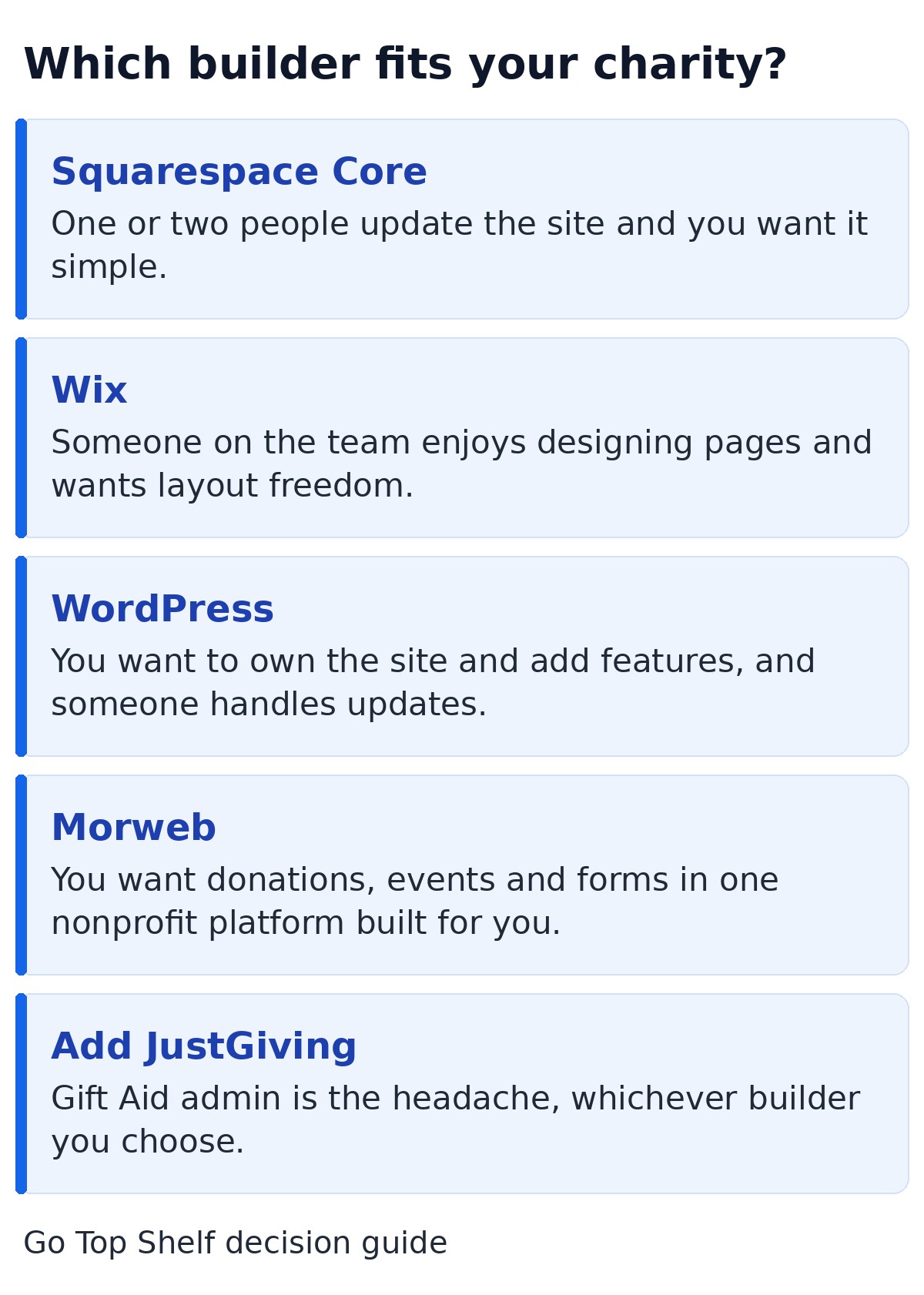
- If one or two people edit the site and you want it simple, choose Squarespace Core.
- If someone on the team loves designing pages, choose Wix on a plan that accepts payments.
- If you want to own the site and add functionality over time, choose WordPress, and make sure someone is responsible for looking after it.
- If you want fundraising, events and forms in one nonprofit platform built for you, and dollar pricing is fine, book a Morweb demo.
- If Gift Aid admin is the headache, add JustGiving to whichever builder you pick.
If your charity has outgrown a builder and needs a site designed around your appeals, events and supporters, that’s what our web design services are for. Charity marketing and fundraising teams without a developer are exactly who we help, and the marketing teams page shows how.
How We Compared
This is a desk comparison of each builder’s public pricing, feature and help pages, read on 23 November 2026. We compared how each one takes online gifts, what it costs in pounds or dollars, the fees on a £20 gift and how much technical work it leaves your team. We didn’t test them with live payments, and prices can change, so check the current figure before you sign up.
Frequently Asked Questions
What is the best website builder for nonprofits?
For most small nonprofits, Squarespace is the easiest because a donate button is built in and there’s little to maintain. Larger organisations that want more functionality usually do better on WordPress with GiveWP. If you want a nonprofit-only platform that’s set up for you, Morweb is built for that, priced in US dollars.
Which platform is best for donations?
It depends on what you want to avoid. JustGiving handles Gift Aid for you and its Start plan has no monthly fee. A built-in option like GiveWP or the Squarespace Donation block keeps supporters on your site. Compare the card fees too, because they come out of every gift.
How do you make a donation website for free?
You can set up a free JustGiving Start plan and use its fundraising page and button, or install the free GiveWP plugin on a self-hosted WordPress site. You’ll still pay card processing fees on each gift, and a WordPress site needs paid hosting and someone to keep it current.
Is WordPress good for charities?
Yes, WordPress is good for charities that want control and room to grow. The software is free and open source, there are donation tools like GiveWP, and you can move hosts any time. The trade-off is that someone has to handle weekly updates, backups and security, or pay for a plan that does.
If you’re not sure whether your current site is holding your fundraising back, our free website audit checks it and tells you in plain English what to fix first.