
Google Analytics 4 Setup You Can Trust
Google Analytics setup means creating a GA4 property, installing the Google tag on your website and telling it which actions count, such as enquiries, bookings and ticket sales. We set up Google Analytics properly for UK marketing and events teams, so the numbers in your reports match what really happened.

Why Most Google Analytics Data Can't Be Trusted
Most websites we look at have Google Analytics installed. Far fewer have it set up well. The usual problems are the same every time.
- Leads aren’t counted. Form submissions, bookings and calls aren’t tracked as conversions, so the reports only show visits.
- Numbers are doubled or missing. The tag is installed twice, or missing from some pages, or a plugin and a tag manager both send the same data.
- Campaigns all look the same. Links aren’t tagged, so paid, email and social traffic land in one bucket.
- Consent isn’t handled. The cookie banner and tracking don’t talk to each other, which is a data protection risk and makes data collection patchy.
- Nobody knows who owns it. The analytics account sits in a former employee’s or old agency’s Google account.
Good analytics data helps you put budget into what works. Bad data is worse than none, because people make decisions from it.
What Our GA4 Setup Includes
- GA4 account and property set-up in a Google account your organisation owns, with the right time zone, currency and data retention.
- A web data stream with enhanced measurement switched on and checked.
- The Google tag installed once, directly or through a tag manager, on every page that needs it.
- Conversion tracking for the actions that matter, such as enquiry forms, bookings, ticket sales, downloads, phone and email clicks.
- Consent mode linked to your cookie banner, so tracking respects people’s choices.
- Campaign tagging guidance and links, so you can see which campaigns bring in real enquiries.
- Links to Search Console and Google Ads where you use them, so search and ads data sit alongside your analytics.
- A simple report your team will actually open, showing the few numbers you care about.
- Handover notes on what’s tracked, how, and who has admin access.
Already have Google Analytics? We audit what’s there, fix what’s wrong and leave you with tracking you can rely on.
How to Set Up Google Analytics 4
If you’d like to do the basics yourself, here’s the short version.
Create a Google Analytics Account
Sign in at analytics.google.com with a Google account your organisation controls, click Start measuring and provide an account name, usually your organisation’s name.
Create a GA4 Property
Name the property, choose the reporting time zone and currency, then click Next and answer the short business questions. One GA4 property per website is the norm.
Accept the Analytics Terms
Accept the Analytics terms of service and the data processing terms, which you need for UK GDPR.
Add a Data Stream for Your Website or App
Choose Web for a website, or iOS or Android for a mobile app, enter your site URL and a stream name, and leave enhanced measurement switched on.
Install the Google Tag
Add the tag snippet to every page of the site, through your website builder, a plugin or a tag manager. Install it once only, or every visit is counted twice.
Check Data Collection
Visit your site and check the Realtime report shows you, then mark your key events, such as form sends, as conversions.
That gets data flowing. Getting the right data, with conversions, consent and campaigns set up, is where most of the work is, and that’s the part we do for you.
Analytics and Tracking for Events Teams
Event sales happen across several tools, which makes them easy to lose track of. We set up tracking so you can see the things below.
- Which campaigns sell tickets, with sales tracked through to your ticketing or registration platform where it allows.
- Exhibitor and sponsor enquiries counted separately from visitor traffic.
- Agenda, speaker and travel page use in the weeks before the show, so you know what visitors need.
- Each edition compared, with the same events tracked year after year.
Analytics and Tracking for Marketing Teams
Marketing teams need to prove what’s working without waiting on a developer. Here’s what you get.
- Clean conversion tracking on every campaign landing page and form.
- Tagged campaign links so email, social and partner traffic is credited properly.
- A tag manager set up so most future tracking changes don’t need a developer.
- Reports linked to your CRM, where needed, so you see leads that became customers, not just form fills. See CRM integration.
How It Works
Check Your Analytics Account
We audit your current analytics, tags and consent set-up and list what’s working and what isn’t.
Agree What to Track
We agree the handful of actions that matter to your team and how you’d like them reported.
Set Up Data Collection and Test
We configure GA4, the tags and conversions, then test every one on a staging or live page before it counts.
Hand Over
You get admin access, handover notes and a short walk-through of your reports.
Proof From Sites We Run
- Stand Central and E&F Safety. Our own businesses, where we track the enquiries and orders that pay the bills and use the data to decide what to build next.
What It Costs
Google Analytics setup for a typical site is quoted per job after a quick look at what’s already there, and smaller fixes are often only a few hours. Tracking changes can use the hours in our Support plan at £350 a month plus VAT, or be agreed within fair use on Team at £750.
Google Analytics Setup Questions
How do I set up Google Analytics?
Create a Google Analytics account, add a GA4 property, add a web stream for your site and install the tag on every page. Then mark the actions that matter, such as form sends, as key events so they count as conversions.
Is Google Analytics still free?
Yes. Google Analytics 4 is free for most organisations. A paid version exists for very large sites, but small and medium businesses rarely need it.
Do I need a Gmail account to set up Google Analytics?
You need a Google account, but it doesn’t have to be Gmail. Use an account your organisation controls, ideally a shared work address, so access isn’t lost when someone leaves.
Can I use Google Analytics and Google Tag Manager together?
Yes, and for most marketing teams it’s the best way. Tag Manager holds the tracking codes and sends data to Google Analytics, so you can add or change tracking without editing the website.
What happened to Universal Analytics?
Google switched Universal Analytics off in 2023 and replaced it with GA4. If your reports stopped updating around then, you’re probably still looking at the old property and need a GA4 setup.
Can you fix our existing Google Analytics?
Yes. Most of our analytics work is fixing set-ups that are almost right. We audit what’s there, remove duplicates, add missing conversions and connect consent.
Related Services
Find Out Whether Your Numbers Add Up
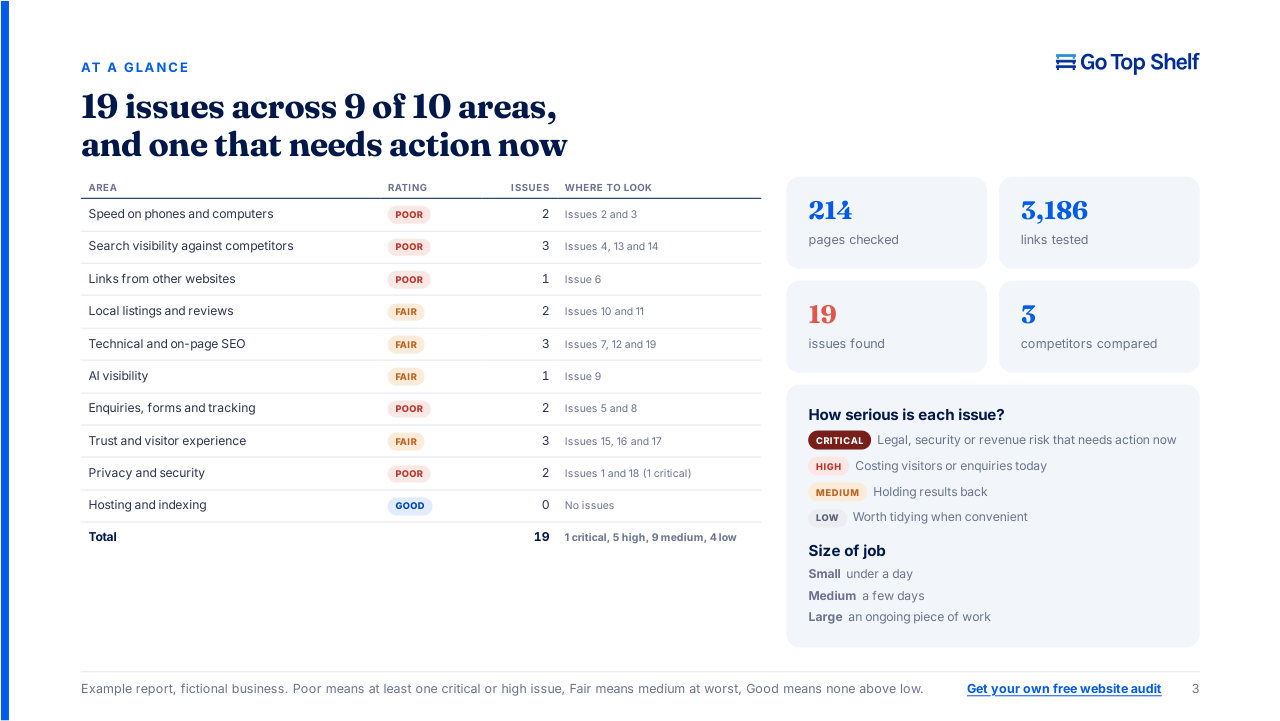
Get a free website audit. We’ll check the tags and conversion tracking visible on your website and send you a clear report of what’s missing or wrong. Checking the numbers inside your reports is part of a paid tracking review, with access to your analytics account. Prefer to talk? Call 01245 823910 or get in touch.