If you’ve just searched “website down what to do”, the first job is to check whether it’s down for everyone or only for you. Then read the error on the screen, because it usually tells you who can fix it. A server error goes to your host, an expired domain goes to whoever registered it, and a WordPress error goes to your developer. Put a short message out to customers while that happens.
A lot of the time goes on working out who that person is, or finding the login for the domain account. For an events business it hurts most the week a show opens or tickets go on sale, so the steps below are in the order we’d do them.
How to Check If a Website Is Down for Everyone
To check if a website is down for everyone, load it on your phone with Wi-Fi switched off, then put the address into an online down checker. If it fails on mobile data and the checker says it’s down too, the problem is the site. If it only fails on your office network or laptop, the problem is at your end.
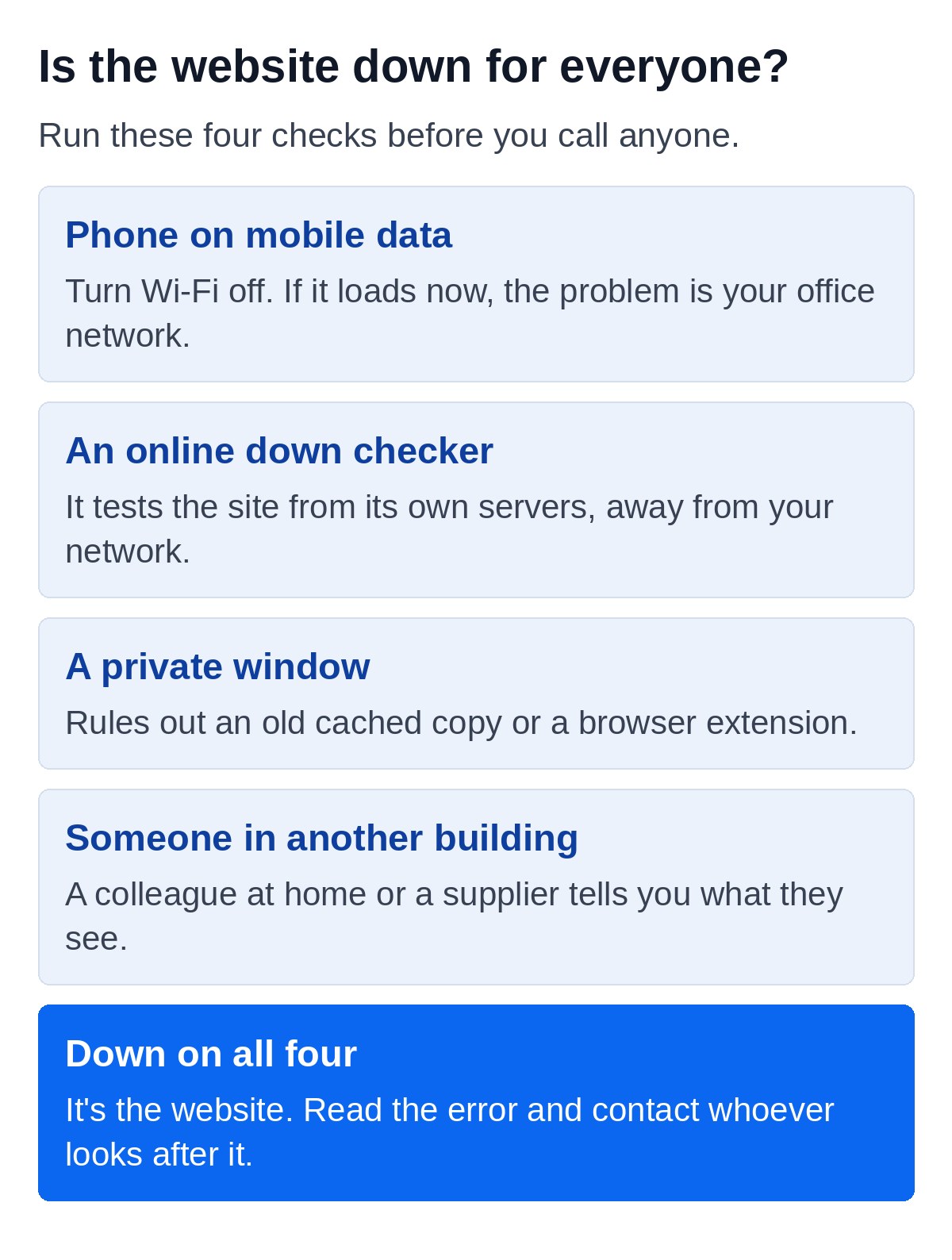
- Phone on mobile data. This takes your office Wi-Fi, router and company firewall out of the picture in one go.
- A free down checker tool such as Is It Down Right Now, which tests the site from its own servers.
- A private window. Google’s Chrome help suggests Incognito mode and clearing browsing data when one site won’t load, since an old cached copy or an extension can be the cause.
- Someone in another building. A colleague at home or a supplier can tell you in a minute what they see.
If other websites won’t load either, it’s your internet connection. Restart the router or ask your IT provider. A website not loading only for you, while everyone else sees it, is usually a cached page, a browser extension or a work firewall.
Website Down? What to Do in the First 15 Minutes of an Outage
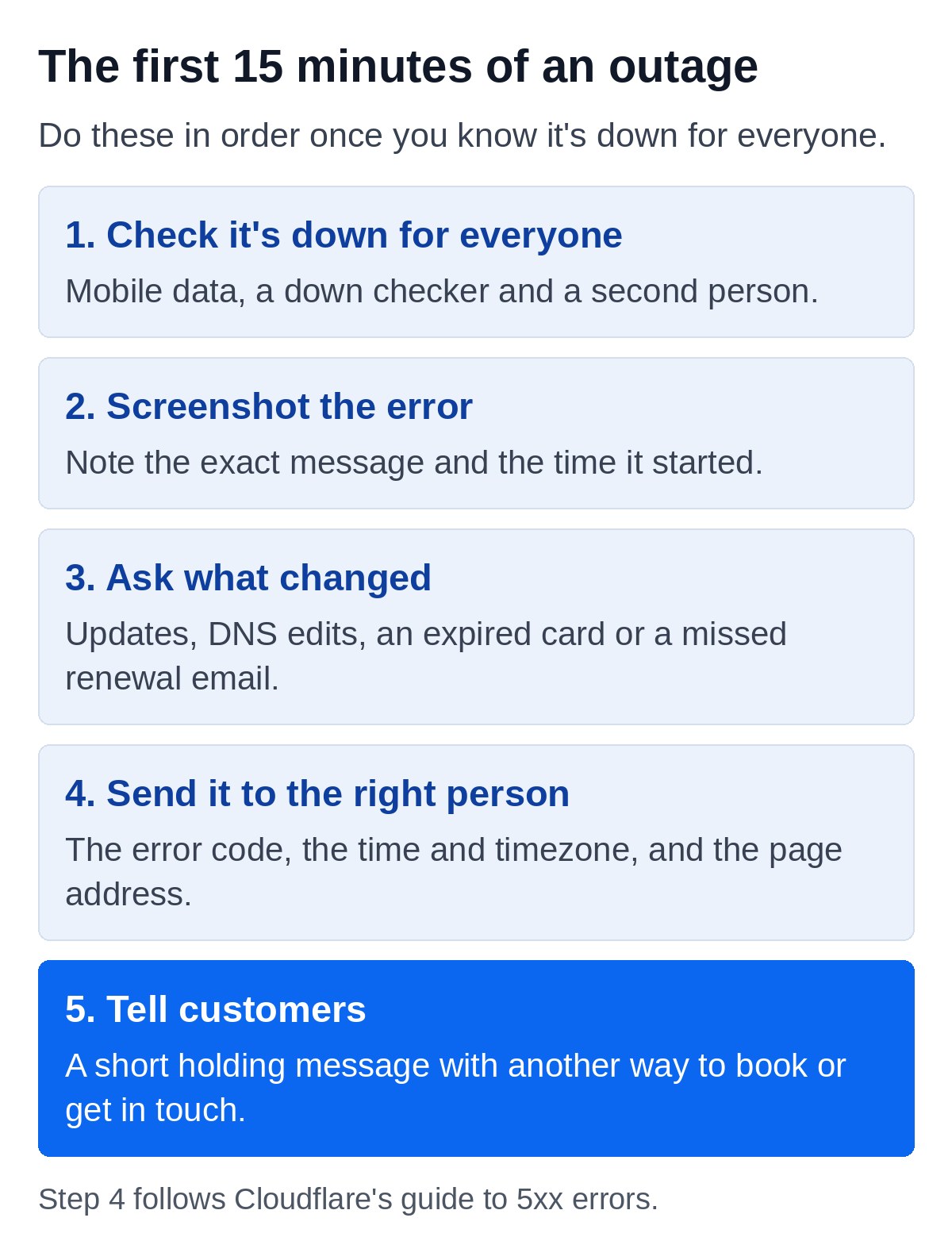
Once you know the site is down for everyone, read the exact error, ask what changed recently, and send the error and the time to the person who looks after that part of the site. Then tell customers where to go in the meantime.
1. Write down the exact error
The error message on the screen is the most useful clue you have. Take a screenshot on a phone and a computer, and note the time. A page that says 503, 521 or “Error establishing a database connection” points somewhere different from a browser saying the address can’t be found.
2. Ask what changed
Ask the team whether anything changed in the last day or two. That means a plugin or WordPress update, a new theme, someone editing DNS records for email, a hosting card that expired, or a renewal email nobody answered. An outage often follows a change, and knowing which one saves the person fixing it a lot of digging.
3. Send the details to the right person
Send the error, the time and the page address to whoever owns that part of the site. Cloudflare’s guide to 5xx errors says to contact your hosting provider first for most server errors, and to give them the error code and message, the time and timezone it happened, and the URL that failed. The same details help any host or developer.
4. Tell customers before they tell you
Put a short holding message out as soon as you know it’s a real outage, even before you know the cause. If you sell tickets, take bookings or have exhibitors uploading forms, those people need to know where to go in the meantime. The message to use is further down.
Why Is My Website Down?
Your website is down because one of the pieces it depends on has stopped working. That’s usually the hosting server, the domain name, the DNS records that point the domain at the server, the security certificate, or the software itself after an update or a hack. The error you see tells you which one.
| What you see | Likely cause | Who to contact |
|---|---|---|
| 500, 502, 503 or 504 error | The server or the site’s software is failing or overloaded | Your host, then your developer |
| Cloudflare 521, 522 or 523 | Cloudflare can’t reach the server behind it | Your host |
| Cloudflare 525 or 526 | The certificate on the server is missing or invalid | Your host or developer |
| “This site can’t be reached” or a parked page | The domain has expired or the DNS records have changed | Whoever registered the domain |
| “Your connection is not private” | The security certificate has expired | Your host or developer |
| “Briefly unavailable for scheduled maintenance” | A WordPress update didn’t finish | Your developer |
| “There has been a critical error on this website” | A plugin, theme or code error in WordPress | Your developer |
| Spam pages or a browser warning | The site has been hacked | Your developer and host |
Start with the server errors. MDN’s page on the 503 status describes it as a server that isn’t ready, usually because it’s down for maintenance or overloaded. Overload is the one events teams hit, when an announcement or a ticket release sends far more visitors than the hosting plan was built for. Cloudflare’s guide lists 521 as “web server is down”, 522 as “connection timed out” and 523 as “origin is unreachable”, which all mean Cloudflare is working but the server behind it isn’t answering.
WordPress has its own messages. The WordPress guide to common errors explains that an update puts a .maintenance file in the site’s root folder, and “Briefly unavailable for scheduled maintenance” stays up if that file isn’t removed. For “There has been a critical error on this website”, it says to check the site admin email inbox first, because WordPress usually sends details of what broke. “Error establishing a database connection” is usually down to the database details in wp-config.php or a problem at the host.
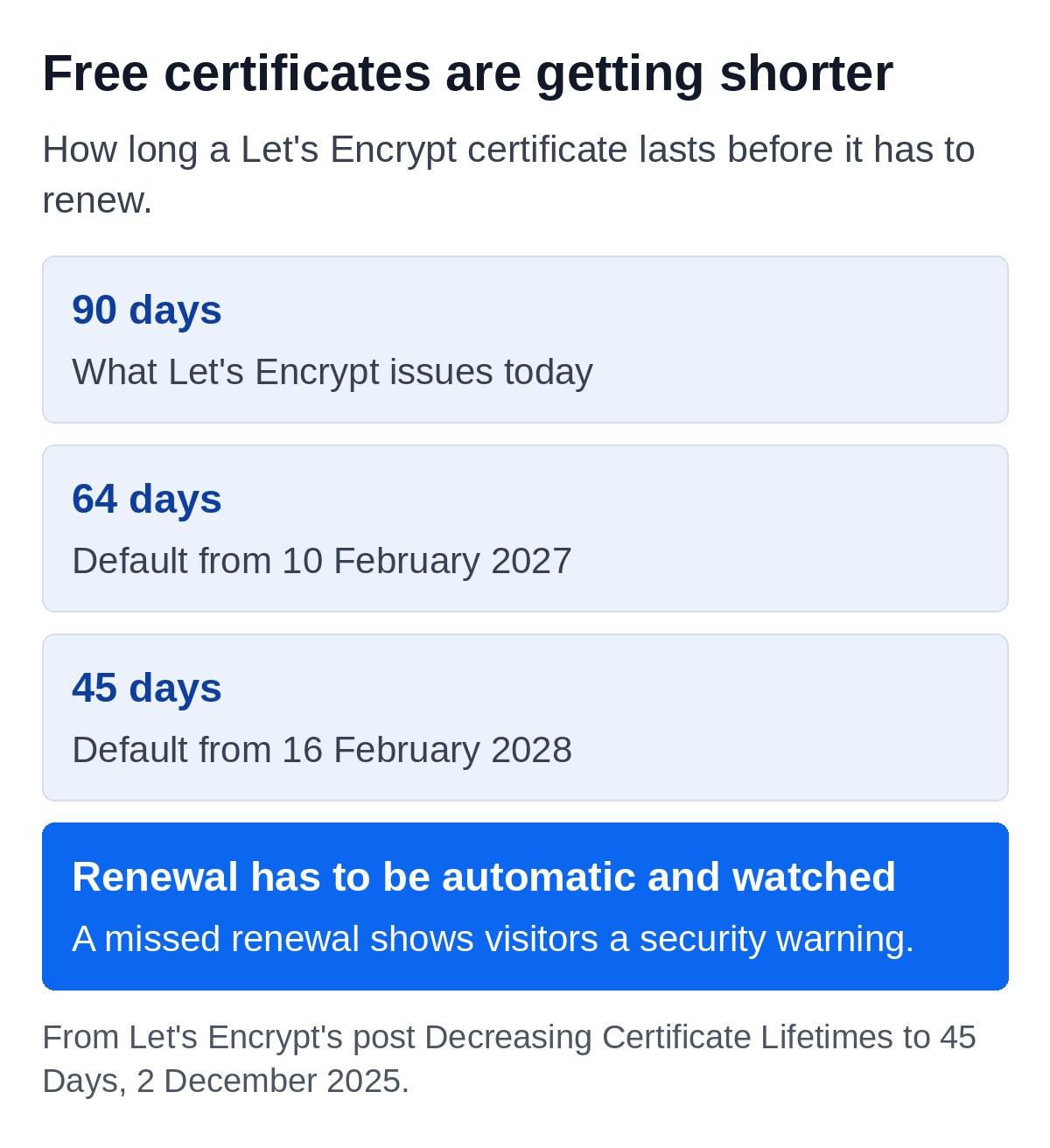
Certificates are worth a mention because they’re getting shorter. The CA/Browser Forum ballot SC081v3 cuts the longest a certificate can last from 398 days down to 47 days in stages. Let’s Encrypt, which issues the free certificates many small sites use, currently issues 90-day certificates and moves to 64 days on 10 February 2027 and 45 days on 16 February 2028. Automatic renewal handles this, but when renewal fails without anyone noticing, visitors get a security warning instead of your site.
If the site shows spam pages, sends visitors somewhere else or Google shows a warning, treat it as a hack and follow our guide on what to do when a WordPress site is hacked.
Domain Expired? What to Do Before the DNS Is Switched Off
If your domain has expired, log in to the account you registered it with and renew it straight away. It can usually be renewed for a while after expiry, but the registrar is allowed to take the site and email offline from the day it expires, so every day costs you enquiries and email.
For .com and other generic domains, the rules come from ICANN’s Expired Registration Recovery Policy. The registrar has to send at least two reminders, about a month and about a week before expiry, and one more within five days after. After expiry the registrar can switch it off, and it must do so for at least the last eight days you can still renew it. Any page it puts up in its place has to say the registration has expired and how to renew. Once you renew, the registrar has to point it back at your site immediately or as soon as is commercially reasonable.
The reminders often go to an old email address, or to an address on the domain itself, which stops working at the same moment. ICANN’s own best practice is for registrars to ask for a second email address somewhere else. Check yours is set.
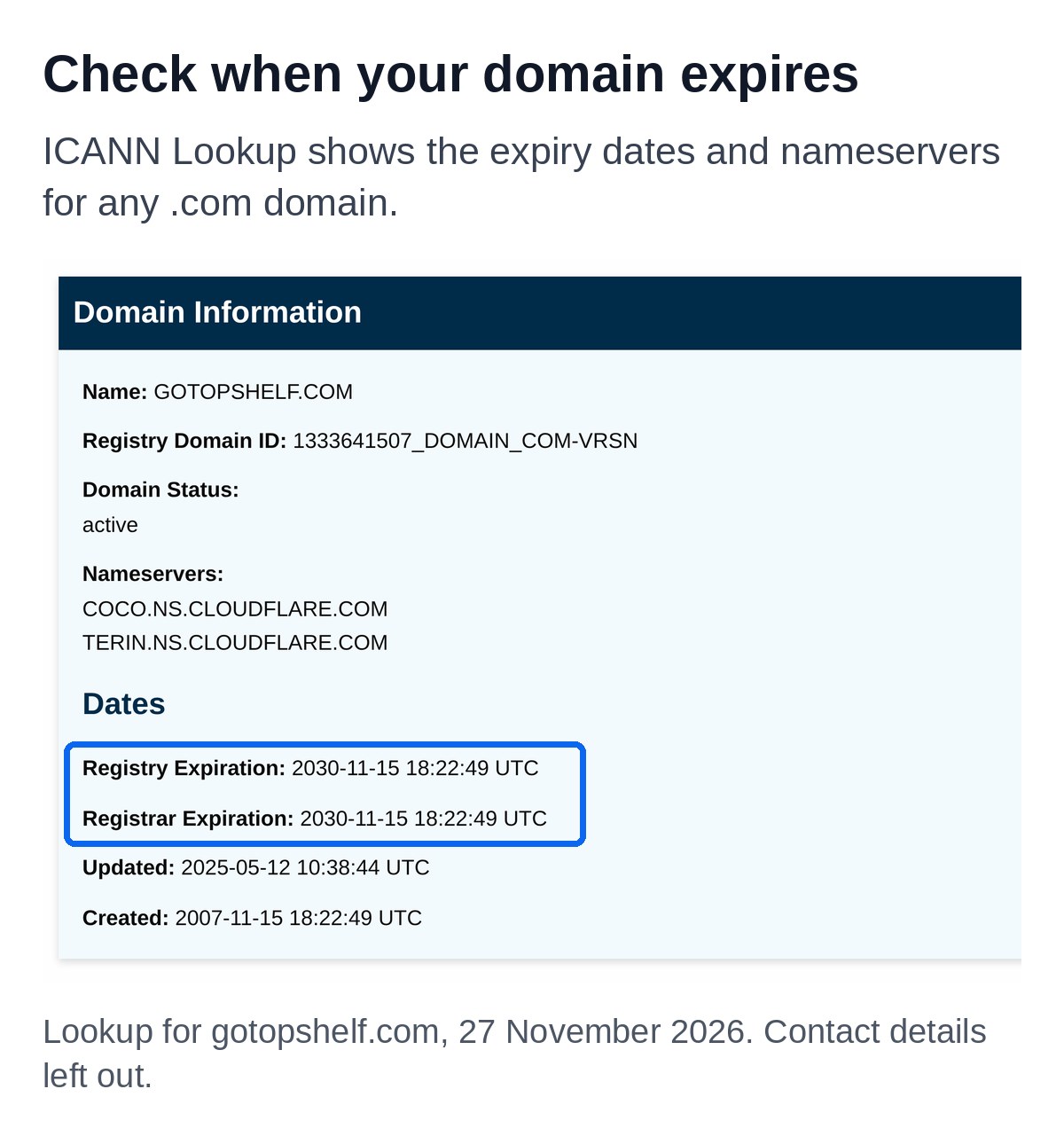
To find out who holds it and when it expires, search it in ICANN Lookup. It shows the expiry dates, the nameservers and the registrar. If you can’t get into the registrar account, contact their support with proof the name belongs to your business. For .co.uk domains, the registrar named on your renewal invoices is the place to start.
After renewal the site may take a little while to come back for everyone. Cloudflare explains that each DNS record has a TTL, the time it can be cached, and that’s five minutes for records it proxies and anything from 60 seconds to a day for others. A longer TTL means changes take longer to reach everyone.
A Website Down Message to Customers You Can Copy
A good website down message to customers says what’s wrong in one line, gives them another way to do what they came to do, and says when you’ll update them. Keep it short and don’t guess at a fix time you can’t promise.
This is the kind of message we’d put up, with your own details in it.
“Our website is down at the moment and we’re working on it. If you need to book or have a question, email bo******@***********co.uk or call the office on [your phone number] and we’ll sort it for you. We’ll post here again by 3pm.”
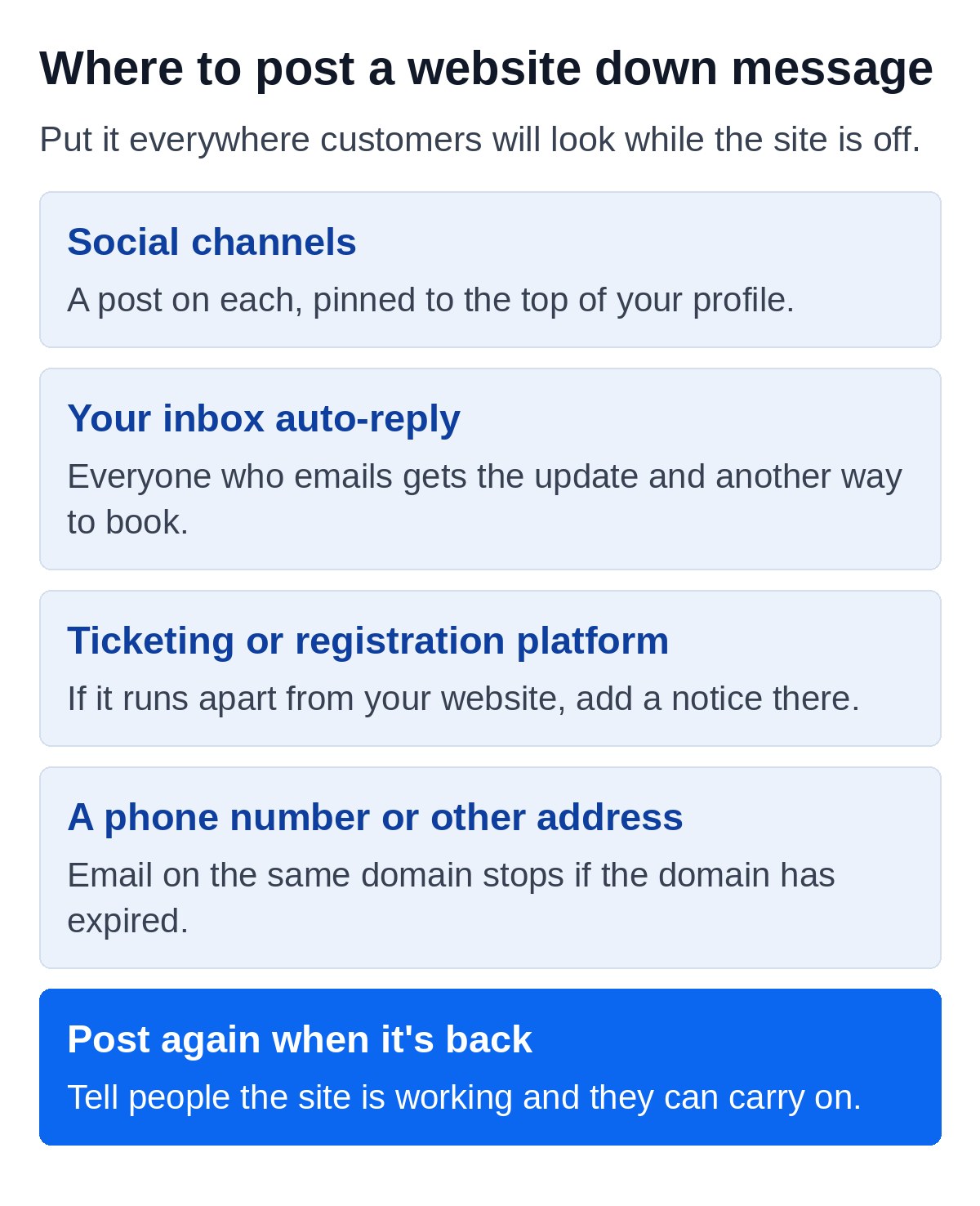
Put it wherever your customers will look. That means your social channels, a pinned post, the auto-reply on your main inbox, and any ticketing or registration service you run separately from the site. If your email uses the same domain and it has expired, that email won’t work, so give a phone number or a personal address instead. When the site is back, post again to say so.
How to Stop an Outage With Monitoring and a Tested Backup
The outages that do the most harm are the ones nobody notices for hours, so the best protection is monitoring that alerts someone who can act. After that it’s domain renewals, certificate renewals, backups and updates that someone actually owns.
- Uptime monitoring that checks every few minutes and alerts a named person, day and night.
- Domains on auto-renew with a payment card that’s in date, and the account’s contact email on a different address.
- Certificate renewal that’s automatic and watched. Let’s Encrypt recommends monitoring that alerts you if a certificate isn’t renewed when expected.
- Backups you’ve actually restored from, kept somewhere other than the server.
- Updates done on a set day by someone who checks the site afterwards.
- Hosting sized for your busiest moment, like a ticket release.
On our website maintenance plans we check every site every 5 minutes and start work as soon as an alert comes in. Sites that get big rushes, like an event booking launch, get hosting that scales with demand. That matters most for events teams, whose busiest hour is usually the one the site can’t afford to miss. If you’d like to know where your own site is weak before it fails, our free website audit checks its speed, security, forms and SEO.
Frequently asked questions
Does website downtime hurt Google rankings?
A short outage won’t. Google’s guide to status codes says server errors make Google crawl more slowly and pages already in its index are kept for a while, but pages that keep returning server errors are eventually dropped. Fixing it within hours is fine. Days of errors start to cost you.
Should we use a maintenance page while we fix it?
Yes, if it returns a 503 status. Google’s guidance on pausing a site says to use an informational 503 page if you need to take the site down for one or two days, and to keep a full shutdown to a few days at most. Your host or developer can set one up.
Why is our email down as well as the website?
Email and the site both depend on your domain. If it has expired or its DNS records have been changed, both stop working at once. If email works and the site doesn’t, the problem is more likely the hosting server or the site’s software. Check the expiry date in ICANN Lookup first.
Who should we call when the website is down?
Call your host for 5xx and Cloudflare 52x errors, whoever registered the name if it has expired, and your developer for WordPress errors or a hack. If you don’t know who any of those are, that’s worth finding out now. Keep the names and phone numbers somewhere the whole team can reach, and the logins in a shared password manager.
If you’d rather have one team that already knows your site and picks up the phone when it breaks, our website support service covers hosting, fixes and updates for your business in one place.