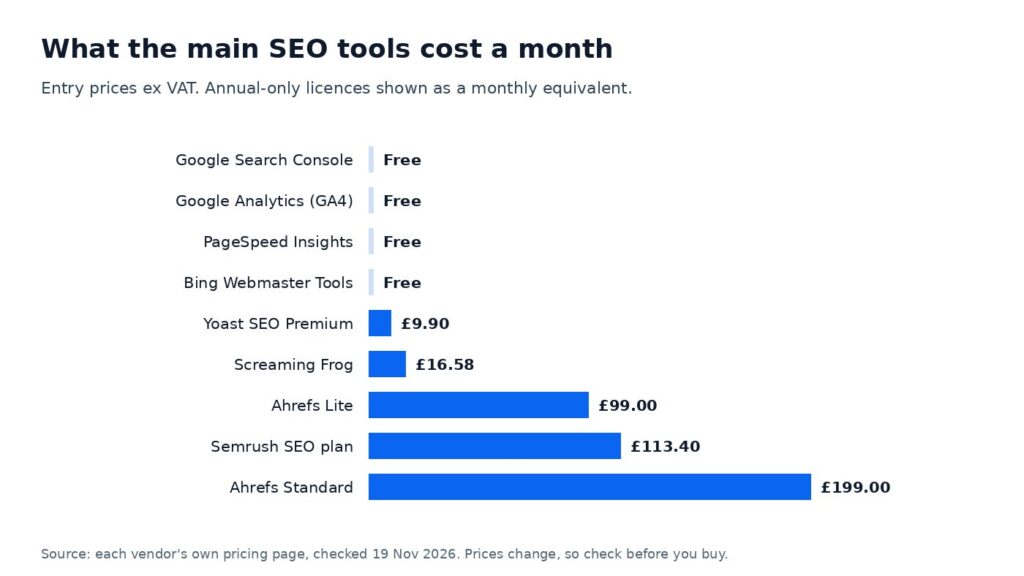
The best SEO tools for most businesses start with the free ones from the search engines themselves. Google Search Console, Google Analytics (GA4), PageSpeed Insights and Bing Webmaster Tools cost nothing and cover most of what a marketing team needs. Add Screaming Frog for technical SEO audits, a WordPress SEO plugin like Yoast or SEOPress, and, only if you need competitor data, a paid all-in-one SEO platform such as Ahrefs (from £99 a month) or Semrush.
Every price below was checked on each vendor’s own pricing page on 19 November 2026. If you’d rather have someone run these tools on your site for you, our free website audit covers speed, SEO, tracking and competitors in one report.
The top SEO tools at a glance
| Tool | Price (ex VAT) | Best for |
|---|---|---|
| Google Search Console | Free | Everyone. Your own Google search data and SEO issues |
| Google Analytics (GA4) | Free | Seeing what visitors do and which pages bring enquiries |
| PageSpeed Insights | Free | Checking speed and Core Web Vitals on any page |
| Bing Webmaster Tools | Free | Bing data, backlinks and AI citation reports |
| Screaming Frog SEO Spider | Free up to 500 URLs, £199 a year | Technical SEO audits |
| Yoast | Free, Premium £118.80 a year | WordPress sites with non-technical editors |
| SEOPress | Free, PRO from $49 a year | WordPress sites wanting a lighter, cheaper plugin |
| Rank Math | Free, PRO €7.99 a month billed yearly | WordPress users who want lots of features in one plugin |
| Ahrefs | Free tier, Lite £99 a month | Backlinks, competitor research and keyword research |
| Semrush | Free tier, SEO plan £113.40 a month | All-in-one SEO toolkit with rank tracking and AI visibility |
| Moz Pro | Starter $49 a month | Smaller sites wanting a simpler paid tool |
| Mangools | Basic from $37.70 a month billed yearly | Easy keyword research on a budget |
| Ubersuggest | From US$29 a month | Small budgets wanting keyword ideas and a simple site audit |
Free Google SEO tools and Bing Webmaster Tools
Start here. These free Google SEO tools (and Bing’s equivalent) come from the search engines, so the data is about your own site and it’s as accurate as you’ll get. Most marketing teams can run their SEO for months on these alone.
Google Search Console
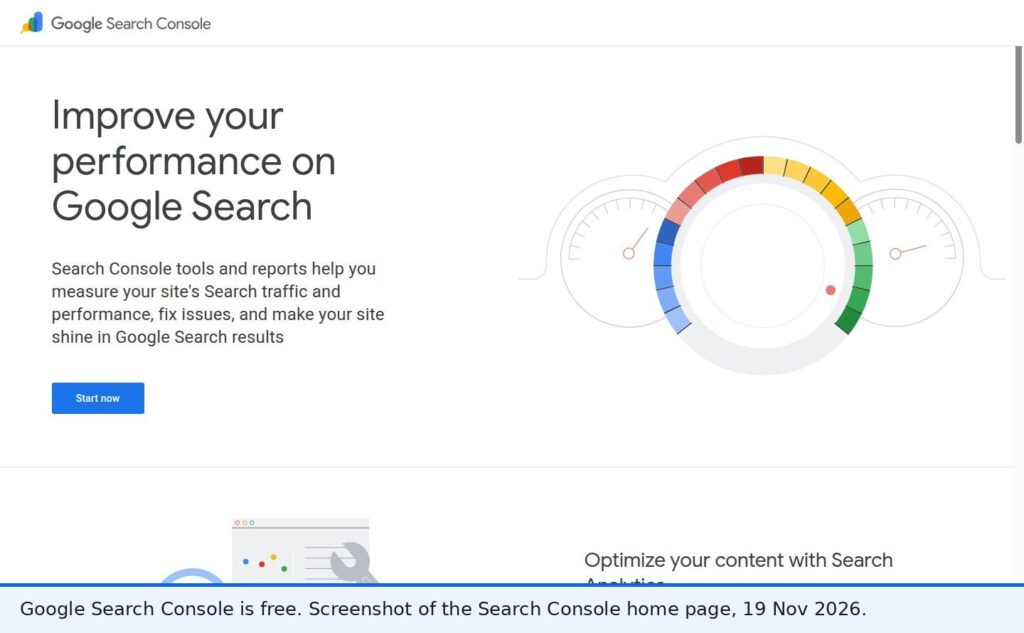
Google Search Console is the one SEO tool every site should have. It shows which searches you appear for, your clicks, impressions and average position, which pages are indexed, and any problems Google has found (such as pages it can’t crawl or Core Web Vitals issues). Google confirms that visits from its AI Overviews and AI Mode are included in the Search Console performance data.
Best for everyone. It’s free and nothing else gives you Google’s own view of your site.
Google Analytics (GA4)
Google Analytics is free and shows what visitors do once they arrive. Search Console tells you how people find you, GA4 tells you whether they enquire, book or buy. The catch is set-up. GA4 only reports conversions properly if events and key events are configured, which is why we offer GA4 and tracking set-up.
Best for proving which pages and channels bring enquiries.
PageSpeed Insights
PageSpeed Insights tests any page and reports its Core Web Vitals from real Chrome users where Google has enough data. Google’s thresholds for a good experience are a Largest Contentful Paint within 2.5 seconds, Interaction to Next Paint of 200 milliseconds or less and Cumulative Layout Shift of 0.1 or less, measured at the 75th percentile of visits. Our guide to page speed and SEO explains what to do with the results.
Best for a quick speed check on any page, including competitors’.
Bing Webmaster Tools
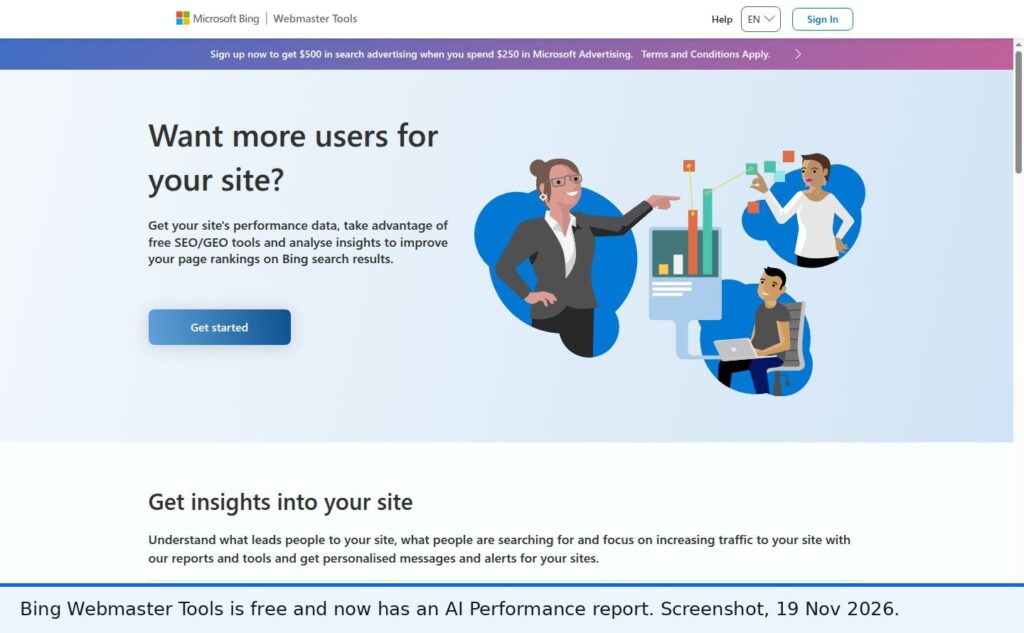
Bing Webmaster Tools is free and often overlooked. It includes keyword research, a backlinks report and an on-demand Site Scan audit. Since February 2026 it also has an AI Performance report (in public preview) showing how often your pages are cited in Microsoft Copilot and Bing’s AI answers. That makes it one of the few free AI visibility tools from a search engine.
Best for backlink data at no cost and an early view of how AI answers cite you.
Google Trends and Keyword Planner
Google Trends shows whether interest in a search is rising, falling or seasonal. Google Keyword Planner is free with a Google Ads account and gives keyword ideas with search volume ranges. Together they’re decent free tools for keyword research. Our guide on how to do keyword research shows how to use them.
Best tool for technical SEO audits
Screaming Frog SEO Spider
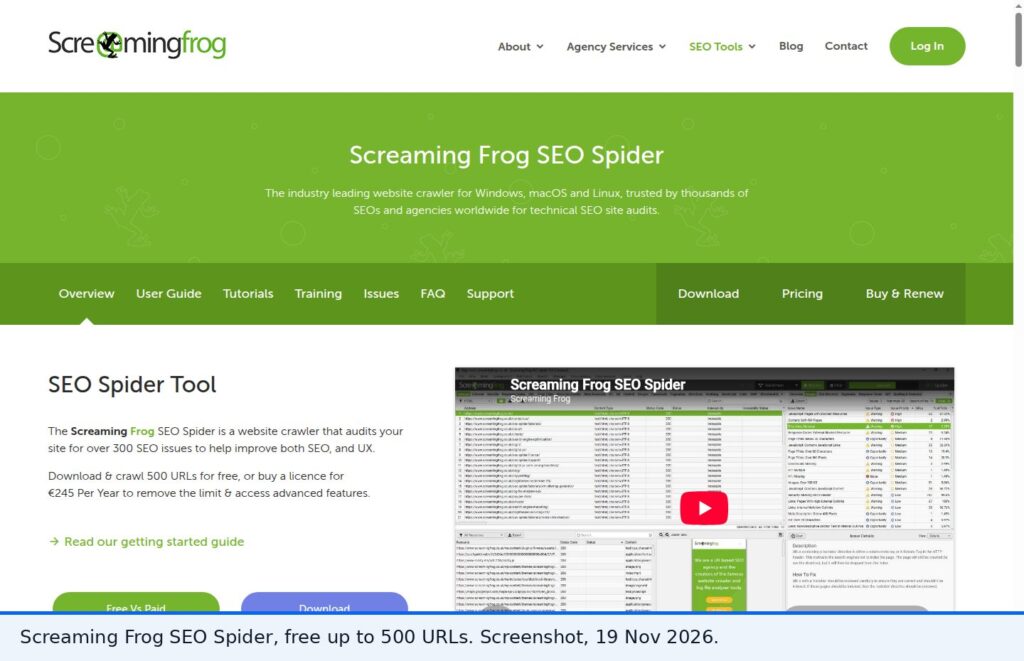
Screaming Frog is a desktop website crawler and SEO analysis tool for Windows, macOS and Linux. It crawls your site like a search engine and lists broken links, redirects, missing titles and descriptions, duplicate pages and much more. It’s free for up to 500 URLs, and a licence costs £199 a year per user to remove the limit and add features like JavaScript rendering and scheduled crawls.
Best for a thorough crawl of your site, especially before or after a website migration. It shows you the issues, but fixing them takes someone who knows what each one means.
Best SEO plugins for WordPress and on-page SEO
If your site runs on WordPress, an SEO plugin handles the on-page SEO basics (titles, meta descriptions, XML sitemaps and schema) without code. Pick one and stick with it. Running two causes conflicts.
Yoast SEO
Yoast is the best-known WordPress SEO plugin, with a free version and Yoast SEO Premium at £118.80 a year (ex VAT). Its traffic-light content checks make it easy for non-technical editors.
Best for teams where several people publish content and need simple guidance.
SEOPress
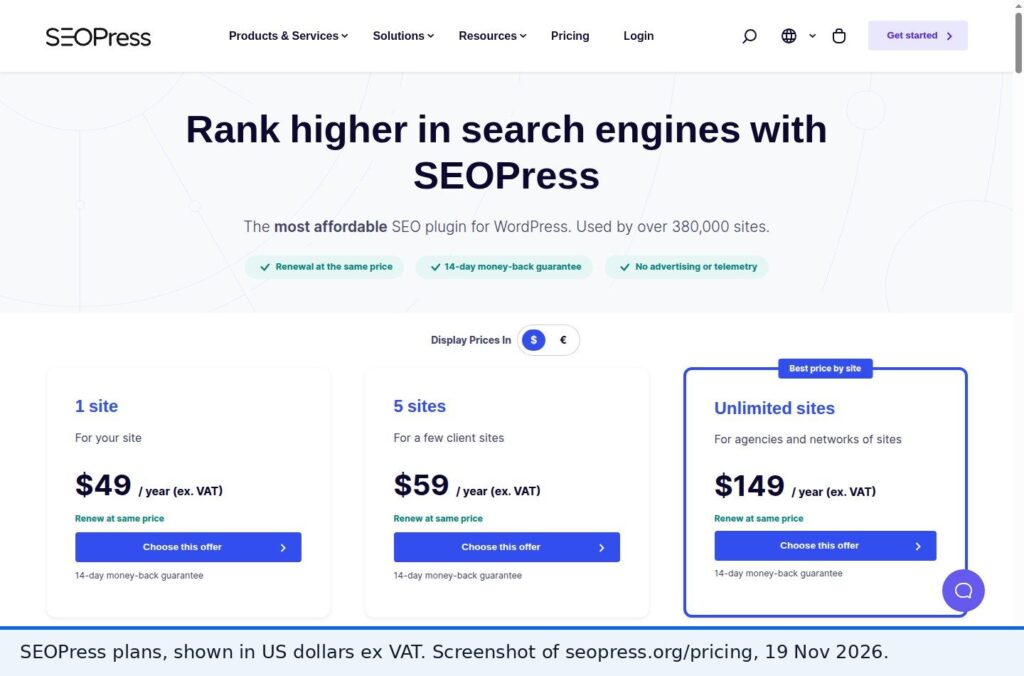
SEOPress has a capable free version, and SEOPress PRO costs $49 a year for one site, $59 for five sites or $149 for unlimited sites (ex VAT), with renewal at the same price. It has no adverts in the WordPress dashboard.
Best for businesses with several sites, or anyone who wants a lighter plugin with fair renewal pricing.
Rank Math
Rank Math has a generous free plugin, and the tool helps with schema and redirects as well as titles, and Rank Math PRO is listed at €7.99 a month billed annually (ex VAT) for unlimited personal sites, with frequent introductory discounts. It packs in a lot of features, which suits confident users more than beginners.
Best for WordPress users who want rank tracking and schema in one plugin.
The best paid SEO platform for competitor analysis and rank tracking
Paid tools are worth it when your SEO strategy needs competitor analysis (what competitors rank for, who links to them and where you’re missing out) and daily rank tracking. If you only look after your own site, the free tools above cover a lot. Each paid tool on this list offers a free tier or trial, so test it with a real task first.
Ahrefs
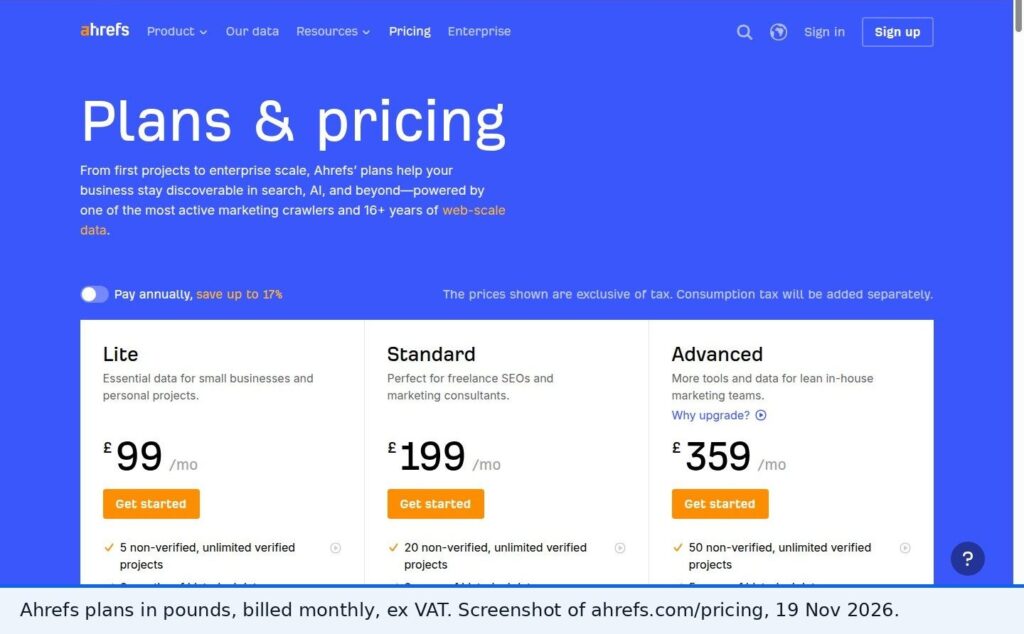
Ahrefs is best known for its backlink data, plus keyword research (Keywords Explorer), site audits and rank tracking. Plans cost £99 a month for Lite, £199 for Standard and £359 for Advanced, billed monthly ex VAT, with up to 17% off annual billing. Ahrefs Free (previously Ahrefs Webmaster Tools) gives you Site Audit, Site Explorer and Web Analytics for sites you’ve verified.
Best for backlink research and link building, and for seeing exactly which keywords bring competitors their traffic.
Semrush
Semrush is an all-in-one SEO platform (its core plan is the Semrush SEO toolkit) covering keyword research (the Keyword Magic Tool), site audits, position tracking, competitor research and, increasingly, AI tracking. The SEO plan is £113.40 a month billed monthly, and the Starter plan that adds AI visibility tracking is £161.25 a month (ex VAT). A free account allows 10 reports a day.
Best for marketing teams who want one suite of tools for keywords, competitors, tracking and reporting.
Cheaper SEO tools for beginners
If Ahrefs and Semrush feel like more than you need, these are simpler and cheaper. Each one is a sensible first premium tool for a small team that’s new to SEO.
Moz Pro
Moz Pro starts at $49 a month for a single site, with the Standard plan at $99 a month. Its Domain Authority score is widely quoted, and the interface is simpler than the bigger platforms.
Best for smaller businesses that want a paid tool without the learning curve.
Mangools, an easy keyword research tool
Mangools bundles KWFinder (keyword research), SERP analysis, rank tracking and backlinks. Basic is $37.70 a month billed yearly.
Best for anyone who wants an easy, cheaper way into keyword data.
Ubersuggest
Ubersuggest, from Neil Patel, has been rebuilt to cover traditional SEO and AI search together, with keyword research, rank tracking, a site audit and an AI visibility report. Plans run from US$29 to US$99 a month, with a free trial.
Best for small budgets that want more than the free Google tools but less than Ahrefs or Semrush.
Other free tools for a website audit
Microsoft Clarity
Microsoft Clarity is free with no traffic limits and records heatmaps and anonymised session recordings. It isn’t strictly an SEO tool, but watching how visitors use a page that ranks often shows why it isn’t converting.
Rich Results Test and Lighthouse
Google’s Rich Results Test checks whether your structured data (schema) is valid and which rich results a page could show. Lighthouse is built into Chrome DevTools and audits performance, accessibility and basic SEO on any page you open.
AI SEO tools and AI search visibility
Which AI tool is best for SEO?
There isn’t one AI-powered SEO tool that does the job on its own. ChatGPT, Gemini and Claude are useful for drafting outlines, rewriting titles and meta descriptions, grouping keyword lists and explaining technical errors in plain English. They don’t have live search volume or ranking data, so check anything factual against Search Console or a proper SEO tool.
Can ChatGPT do SEO?
It can help with parts of it. ChatGPT is good at first drafts, summaries and spotting gaps in a page, but it can’t see your rankings, crawl your site properly or know what your customers search for this month. Treat it as an assistant, not an SEO tool on its own.
Tracking AI visibility
To see whether your business gets named in AI answers, Bing’s free AI Performance report and the AI tracking in Semrush and Ahrefs are the AI visibility tools to start with. Ahrefs sells this as Brand Radar AI, from £159 a month. It’s a young area, and the numbers are best treated as a direction rather than precise counts. Our AI search optimisation work covers this side.
SEO content and local SEO tools
NeuronWriter
NeuronWriter is a content tool that helps join up SEO and content. It compares your draft with the pages already ranking and suggests the terms, questions and headings you’ve missed. Plans start at $23 a month, with AI visibility monitoring included.
Best for SEO content that needs to match what Google already ranks for a search.
Google Business Profile
For local SEO, the most useful tool is free. A complete Google Business Profile with accurate hours, categories, photos and reviews is what gets you into the map results for nearby searches. It also shows how people found your listing and how many called or asked for directions.
Best for any business with a physical location or a local service area.
Tools we’ve removed from this list
Older versions of this article recommended Linkio for planning anchor text. Linkio is now a link building service rather than a software tool, so it no longer belongs on a list of SEO tools.
How to build your SEO toolkit by team size
The right set of tools depends on your use case and how much time you have. Marketing agencies tend to need the bigger platforms, but most in-house teams don’t. Here’s what we’d suggest for the teams we work with most.
A solo marketer or business owner
Search Console, GA4, PageSpeed Insights, a WordPress plugin and Google Business Profile if you’re local. That’s a complete free setup. Add Screaming Frog’s free version once a quarter to catch broken links.
A small in-house marketing team
Everything above, plus one paid platform (Ahrefs or Semrush) shared by the team for competitor analysis and rank tracking, and a content tool like NeuronWriter if you publish often. Pick the paid tool your team will actually open every week.
In-house SEO teams and larger sites
A paid Screaming Frog licence for full crawls, Ahrefs or Semrush on a higher plan for more projects and history, and AI visibility tracking. Many of the tools above connect to Search Console and GA4, so make sure your SEO data lives in one place for reporting.
How to choose the right SEO tools
- Start free. Set up Search Console, GA4 and Bing Webmaster Tools before paying for anything.
- Add one crawler. Screaming Frog’s free tier is enough for most small sites.
- Pay for competitor data only if you’ll use it. A paid tool you log into once a quarter is wasted money. Most offer a free tier or trial, so test with a real task first.
- Remember tools don’t fix anything. They find problems. Someone still has to fix the site, which is where technical SEO support comes in.
Common questions about SEO tools
What are the 5 best SEO tools?
For most businesses, Google Search Console, Google Analytics, PageSpeed Insights, Screaming Frog and one paid platform (Ahrefs or Semrush) cover nearly everything. The first four are free or have a free version.
What is the best free SEO tool?
Google Search Console. It’s the only free tool that shows your real Google search performance and the problems Google has found on your site.
Which SEO tool is best for beginners?
Start with Search Console and a WordPress plugin like Yoast SEO or SEOPress. If you want a paid tool, Mangools and Moz Pro are easier to learn than the larger platforms.
Are paid SEO tools worth the cost?
They’re worth it when you actively research competitors, keywords or backlinks every month. If you mainly look after your own site, the free tools cover most of what you need.
Can SEO tools guarantee higher Google rankings?
No. SEO tools show you data and problems. Rankings come from acting on them, by fixing technical issues, improving content and earning links. Our guide to the benefits of SEO explains what that work brings.
If you’d like these tools run on your site without buying any of them, our free website audit does exactly that. See a sample in our example report.